Should This Law Student Be Disciplined? A Video on the Practical Problems of AI Detection
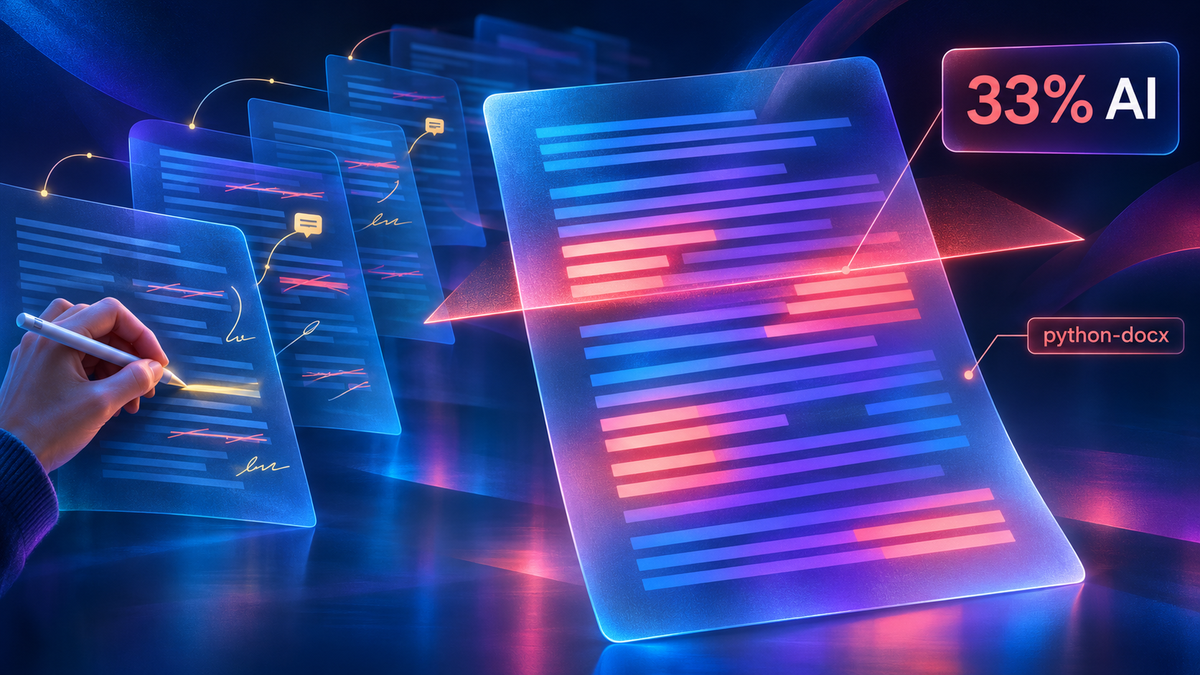
Imagine you are a law student. Your professor calls you in. She ran your seminar draft through Pangram, self-styled as "An AI Detector that actually works," and it came back one-third AI-generated. She also opened the file’s properties, and the author field says “python-docx.” That detail disturbs her even more than the score. Here is what actually happened. You used AI to help with research and to brainstorm counterarguments. You pasted the finished draft into a chatbot, asked it to clean up the grammar, and downloaded the corrected version as a new Word file. That is the file you turned in. You wrote almost all of the paper yourself, in English, which is not your first language. The syllabus prohibits “use of AI.” Have you done anything for which you should be disciplined?
That hypothetical opens a video I made for my Large Language Models for Lawyers course on the practical problems of AI detection. I’ve placed the video on YouTube for all to enjoy. Here it is.
This post has two purposes. First, it describes what the video says. That's important. If you write an AI policy, enforce one, or have to answer an accusation under one, whether in a law school, a court or a firm, you need to know how AI detection works and where it fails. Second, it describes the methods I used to construct the video. I do so to inspire other educators to use agentic AI to make similar videos on diverse topics and from diverse perspectives. Some will be sure that you must need some technical chops or have a background in video editing. That just is not true. You no longer need a studio, an editing program such as Adobe Premiere Pro (or an AI-generated clone), or experience with traditional video editing software. You don't even need much of a budget beyond a frontier AI subscription and maybe $1 of tokens from a text-to-speech model such as Cartesia.
What the video covers
The video first tackles the definitional issues created by clumsy AI bans such as "No use of AI." I see a plethora of court orders, law school policies, and other regulatory enactments that are variants of that ignorant and vague prohibition. Spell check in Word now runs through Copilot, an AI. Is that use of AI? Outlook and Zoom finish your sentences using AI. Is that use of AI? Has the student who uses Google, Westlaw or Lexis used AI because each of them feature AI-written summaries? The video then lays out progressively more intensive use of AI – brainstorming with a chatbot, having a model edit prose, and having a model write the first draft. It asks "Where does 'use of AI' begin?" as it lays out variations on a single line and then drops the student's research, brainstorming and copy-edit onto it.
The video then considers what is often called centaur writing, after the human-computer teams in the "advanced chess" Garry Kasparov promoted after he lost to IBM's Deep Blue in 1997. A writer prompts a model, rejects most of what comes back, keeps a phrase, rewrites the rest, asks the model to check the result, and edits again. After a few rounds, nobody can say whose sentence it is. The animation shows a sentence with the writer's words in blue and the model's in rose; with each trip around the loop the colors fade toward a single shade. I wrote the lecture behind the video this way, and I say so in the video. To get even more meta, this blog entry represents centaur writing.
The third problem comes from that suspicious "python-docx" in the metadata of the .docx file submitted by the student. The video explains that a .docx file is a zip archive of text files, and one of them, docProps/core.xml, records the author, the last person to modify the file and the creation date. Many AI tools write Word files with python-docx, an open-source library. When a tool edits the original document in place, the student's name and dates survive. When it pulls the text out and builds a new document, the new file inherits the library's template, which lists "python-docx" as the author and December 23, 2013 as the creation date. The author field in the hypothetical shows that a program built the file. It shows nothing about who wrote the words.
We then turn to AI detectors. The video explains the three signals they use, which are how predictable each word is (perplexity), how much that predictability varies from sentence to sentence (burstiness), and the judgment of a classifier trained on labeled human and machine text. None of the three looks at how a paper was written. Pangram does well in some tests. A Chicago Booth study by Jabarian and Imas found almost no errors even on short passages, and Pangram reports one false positive in 10,000. A Notre Dame study by Karr and colleagues points the other way. Pangram flagged none of a set of abstracts published between 2013 and 2015, then flagged 64% of the same abstracts after a light AI edit, and it missed more than 96% of AI abstracts run through a "humanizer." Several of these studies tested versions older than Pangram 4, released in July 2026. Perhaps the most recent versions do better. Still, the Notre Dame result fits the hypothetical closely. A copy-edit by a model can make a human paper score as partly machine-written.
And of course there's math. We have to consider base rates, which the video shows with a grid of 10,000 dots, each standing for 10 papers. Suppose 5,000 of 100,000 papers were written mostly by AI and the detector catches 95% of them. With a false positive rate of one in a hundred, 950 honest papers are flagged, and about one flag in six points at an innocent student. At one in ten thousand, about 10 honest papers are flagged and about one flag in 500 is wrong. A flag is good evidence only if the advertised error rate holds for the kind of papers being checked.
The video then turns to watermarks. A watermarking model nudges its word choices toward a secret list, so watermarked text contains more listed words than human text does. The video shows how a paraphrase scrubs the signal and how an attacker who queries the model enough times can estimate the list and plant the watermark in text a human wrote. It also covers Google's SynthID, image watermarks, and OpenAI's textGrain watermark, which OpenAI began using on October 5, 2026, for users in the European Union only.
The video ends back in the professor's office. It sets out the evidence that would actually settle the question: the student's drafts and version history, the research notes, the copy-edit request itself, and whether the student can explain the argument without notes.
How it was made
The project started with meta.ai, for no better reason than curiosity about how that improving and understudied model would perform. I gave it this prompt:
Discuss the practical problems in "ai detection". For example, what actually is use of AI. Spell check. Google search that used AI. It's pretty hard to get rid of it. Then discuss the problem of centaurs: people who use AI and their brains in such tight combination that it is difficult to separate the two. Then discuss the problem of errors in detection and shifting AI models and "humanizers." Discuss the problem of false negatives and false positives in AI detection. Audience is a class for lawyers on large language models and ai detection in law school, courts, firms and elsewhere.
Meta.ai produced a serviceable lecture. Some of its examples were stale, though, and it said nothing about two things I wanted students to see: AI tools stamping "python-docx" into a document's properties under certain workflows even when they only proofread it, and watermarking of text and images, along with the ways people evade it. I pasted meta.ai's answer into Claude and asked it to update the examples and add those topics.
The rest was a series of short requests, each answered by a revised version of the same document. I asked Claude to shorten the lecture by a third by cutting the detail it judged inessential. I asked it to research studies less enthusiastic about Pangram than the Chicago Booth paper, which is how the Notre Dame study got in. I asked it to trim the watermarking material, because my students had seen some of it before and did not need the formulas, and to update what the lecture said about OpenAI, which now watermarks text. I ran a skill that checks a draft for the recurring flaws Professor Wendy Laura Belcher identifies in AI-written prose and accepted all of its suggestions. Then I asked for a deck of about fifteen slides in the design system I use for Constitutional Law, and got sixteen.
Next came the screenplay. I asked Claude to rewrite the lecture for listening, using a skill called eardraft, and to turn the result into a screenplay mixing animation in the style of Grant Sanderson's 3Blue1Brown videos with my slides. Claude proposed some opening examples meant to be catchier. I did not think they were very good, so I supplied the student in the professor's office instead. I also cut a roadmap from the screenplay by leaving a comment on the document. Once I approved the screenplay, I asked Claude to build the video, narrated by a clone of my own voice on Cartesia's Sonic 3.6 at normal speed with a quarter-second pause between sentences, and to add a short credits roll.
My part was the decisions. The hypothetical, which cuts to keep, which suggestions to accept and when the script was ready were mine. I also had the job of verifying the contents of the video and it is a good thing I did. Claude hallucinated in the creation of the video, saying, falsely, that I had personally tested whether Claude burned python-docx into the metadata after it performed a copy edit of the draft. But it proved a useful hallucination in that, in the course of correcting it, I discovered the true sequence of events needed for Claude to name python-docx as the author of a document primarily written by a human. But otherwise Claude did the research, the drafting and all of the production work.
What “build the video” involved
Claude sent the narration to Cartesia one segment at a time and asked for timestamps for every word. It wrote ten animated scenes in Manim, the open-source Python library Sanderson created for 3Blue1Brown, and timed each animation to the moment the narration names its subject, so the python-docx author field lights up as the narrator says “python-docx.” It rendered my slides as still images, faded them in and out, and added a caption bar to four of them. It then joined everything with ffmpeg.
The finished video runs 20 minutes and 58 seconds at 1080p. Before the final render, Claude pulled still frames from each scene and checked them for crowded or overflowing text, which caught several layout problems.
Why make a video at all
Several ideas in this lecture are easier to grasp by seeing them than by hearing them. A grid of dots makes the base-rate problem clearer than any sentence about one flag in six. Watching the author field change from a student’s name to “python-docx” when the text is poured into a new file explains the metadata problem faster than a description of XML files. And the watermark forgery is hard to follow until you watch a sentence a human wrote fill up with words from the secret list.
A video also reaches people a live lecture does not. Students can rewatch it before an exam. Colleagues can watch it, which is what the student who said every professor should see it had in mind. A dean’s office or an honor council deciding an AI case could watch it in twenty minutes.
The video has its limits. The animations are clean but simpler than what Sanderson produces by hand, and the narration is a synthetic clone of my voice that some viewers will notice. I also have no evidence that students learn more from the video than from the same material delivered live.
What I can say is that the video gave the class a single concrete case to argue about, and the argument was a good one. Most of the students who spoke thought the student should not be disciplined, even though she plainly used AI. Many of them faulted the “no use of AI” policy itself and thought, correctly in my view, that the professor who wrote it bore some of the responsibility. And one claimed that every professor should be forced to watch my video. After class, I asked her why. Here's a very wise response.
I said every professor should watch the video because, whatever an individual teacher thinks about AI, it is already in the classroom and it isn’t going anywhere. I think professors have a responsibility to set AI policies for their own courses that are realistic and that they’ve thought through. That isn’t possible without understanding how AI tools and AI detectors actually work. I think the section about a true “no AI” rule can’t even be followed without turning off spell check, search, and the Westlaw and Lexis tools the school pays for really helps drive this point home.
The part I found most useful was the discussion of which question a detector actually answers. In law, the precise question we ask often decides the outcome. I see that as being true here too. When a professor treats “Is this honest work?” and “Was AI used?” as the same question, students lose the chance to use a new tool creatively and still show that they engaged deeply with the material. That was the note I made during the centaur example about how two identical paragraphs can come from completely different processes, and a detector can’t tell them apart. The video showed me two things:
- A professor who wants honest work from students can easily end up with an unworkable policy if they don’t understand the technology themselves.
- There is a better alternative. The questions at the end (“What did you do, step by step?”, “Can you defend the argument without the draft?”, “Did you verify every citation?”) give professors a standard that doesn’t depend on a detector or on fear of “brain rot.”
I also noticed an irony in the presentation. A professor who has a “no AI” policy and enforces it with an AI detector is using AI to enforce a ban on AI. I understand the standards for professors and students are different. Still, without a thoughtful, informed policy, it seems unfair to hold students to a standard the professor doesn’t fully understand.
My own view on AI centers on accessibility, though not quite in the traditional sense. AI meets people where they are. Some people use it as a “fancy Google.” Some, like non-native English speakers, may rely on it to write clear professional emails. Your humanizer slide shows how those students are exactly the ones a detector is most likely to flag. Then there are people like you and me, who have moved past quick searches and email drafts and are using AI to build apps, websites, and tools we would never have been able to create otherwise. A good policy should leave room for all of these uses while still asking whether the student did the thinking. I think the video is one of the best starting points I’ve seen for writing that kind of policy.
Kylee Nichols - 3L