
ChatGPT is back in the legal game!

For the past year, if a lawyer or law professor asked me which general-purpose AI environment deserved the most attention, my answer was invariably Claude. Not because ChatGPT was bad. It was because Claude had assembled the pieces I actually needed. Claude could stay with a long project, reach legal sources through connectors, use repeatable skills, create professional files, and, increasingly, work inside Microsoft Office. I wrote so much about Claude on this blog because it was what I was using most of the time. And I was using Claude because time after time it showed itself to be the best model. For a while Claude looked like Secretariat at the Belmont: a tremendous machine, all alone. Now the situation with frontier models is beginning to look more like the Knicks comeback in Game 4 of the recent NBA finals.
I need to significantly update my advice.
ChatGPT is back in the legal AI game. Big time. I do not mean that OpenAI has won. Claude Fable may still be the better model for some assignments, and Claude still has advantages in Word and in the breadth of its legal ecosystem. But this is no longer Claude followed by everyone else. It is at least a two-horse race. Indeed, in the broader knowledge-work market, the just-released Grok 4.5, which recently topped a key legal benchmark, and the real-soon-now Gemini 3.5 Pro may already make it at least a four-horse race. Things are moving fast enough that one can become obsolete while writing about obsolescence.
Why the change? At least five things have arrived at roughly the same time: (1) We now have something called "ChatGPT Work" that is the rough equivalent of Claude Cowork, i.e. a harness that doesn't just chat with you but actually gets work done by orchestrating tools involving real files, real websites, and real apps; (2) GPT-5.6 has arrived and is a much better model (or, really, set of models) than its predecessors; (3) ChatGPT can now readily connect to serious legal databases via Midpage and Descrybe; (4) OpenAI is beginning to place ChatGPT inside the software people already use; and (5) Anthropic is about to eliminate access to its stellar competing Fable model to the average person who purchases access to its technology via a monthly subscription. I am not sure Anthropic appreciates fully how devastating that last move is to non-technical knowledge workers who are just not going to spin up API calls to get Fable access.
As I'll discuss further below, I've begun to explore whether these touted changes make a difference in the real world (such as it is) of law professoring. For example, I've combined various "plugins" available to the new ChatGPT to grab information from strong legal databases on facial versus as-applied constitutional challenges in constitutional law. I've used ChatGPT's new @sites feature to build a website on the subject that my students (or anyone else) can use. The results from that and other work are good enough to confirm my sense that lawyers and legal educators need to once again put ChatGPT on roughly the same level as Claude for getting work done. Those of you who held out for a year or so waiting to adopt Claude, consider your inertia to have been rewarded.
In this post
- Why the model itself is now good enough to matter: GPT-5.6 and its three flavors, Sol, Terra, and Luna, and what little legal-specific evidence exists so far.
- The confusing new geography of "ChatGPT" itself: Chat, Work, and Codex, and which one you actually want.
- The part lawyers care about most: how far ChatGPT can now reach into grounded legal research through Midpage, Descrybe, and a workaround for Lexis and Westlaw, plus where it still falls short.
- How skills and CustomGPTs let you port your existing workflows into ChatGPT.
- What ChatGPT's new "Sites" capability can build, using a constitutional law website put together as a test case.
- Where ChatGPT still lags Claude, namely inside Word itself.
- GPT-Live, the new voice mode, and what it might mean for training lawyers to think on their feet.
The model is finally good enough
OpenAI released GPT-5.6 generally on July 9 in three sizes. Sol is the flagship model. Terra is cheaper and intended for everyday work. Luna is the fastest and least expensive. You can see statistics on the model in the annotated table below. OpenAI reports that Sol beat Claude Fable 5 by 13.1 points on Agents' Last Exam, an evaluation of long-running professional tasks. On the Artificial Analysis Intelligence Index, Sol came within one point of Fable while finishing in 61 percent less time at roughly half the estimated cost. On a coding-agent index, Sol slightly exceeded Fable while using fewer than half the output tokens and taking less than half the time. See OpenAI's GPT-5.6 announcement. The reduction in the number of tokens is becoming ever more important as the frontier labs start emphasizing per-token pricing over monthly subscription plans in which the marginal cost of a token is zero (until you hit your token limit).
GPT-5.6 Model Comparison
OpenAI • July 2026 • Generally Available
| Model | Input ($/1M) |
Output ($/1M) |
Context | Best For | Notes |
|---|---|---|---|---|---|
|
GPT-5.6 Sol
OpenAI • Flagship
|
$5 | $30 | 1.05M | Complex coding, long-horizon agents |
Strong efficiency vs Fable 5. Best performance tier. |
|
GPT-5.6 Terra
OpenAI • Balanced
|
$2.50 | $15 | 1.05M | Everyday production work | ~GPT-5.5 quality at half the price of Sol. |
|
GPT-5.6 Luna
OpenAI • Fast & Cheap
|
$1 | $6 | 1.05M | High-volume, routine tasks | Fastest and most cost-efficient tier. |
|
Claude Fable 5
Anthropic • Flagship
|
$10 | $50 | 1M | Top-tier reasoning & agentic work |
Current Anthropic flagship. Very strong on benchmarks. |
All GPT-5.6 tiers share a 1.05M context window and 128K max output. Strong prompt caching (90% discount on reads) available across the family.
Sol includes higher-compute options (Ultra mode + Max reasoning effort).
Those are OpenAI's numbers. I have not run a controlled legal benchmark, and several days of use do not constitute one. My judgment is impressionistic: GPT-5.6 Sol feels substantially faster than Fable and perhaps faster than Opus 4.8, while requiring less correction than earlier ChatGPT models. Speed is important, however. Lawyers experience AI through waiting, restarting, correcting, and deciding whether delegation saved any time. A model that produces usable work while I still remember why I asked for it will get used more often. (By the way, ChatGPT 5.6 Sol wrote that last sentence without any hinting from me. Pretty darned good IMHO.)
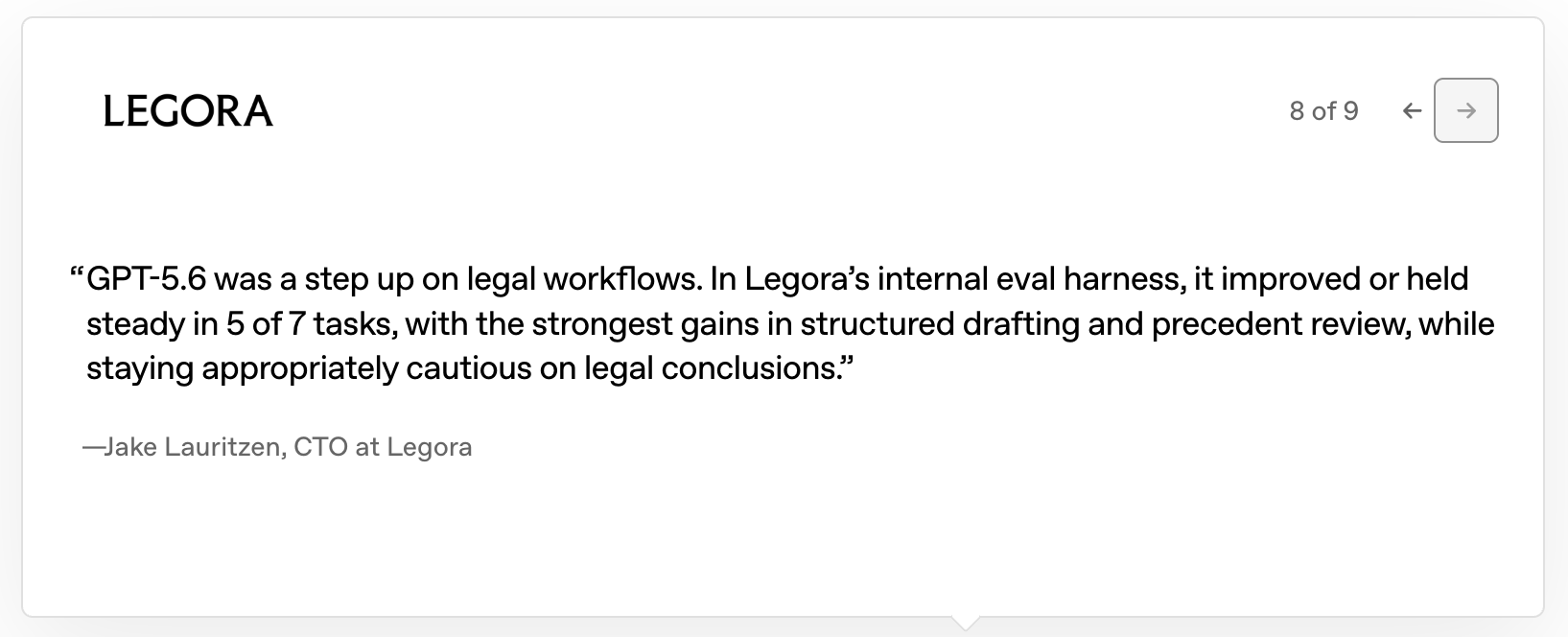
There is at least some legal-specific evidence on performance. Clio, a leading legal practice management platform with a legal research system called Clio Work, reported that GPT-5.6 improved quality across its legal-research and transactional-law evaluations while using 14 percent fewer tokens. Legora, probably the second-largest agentic AI platform for lawyers, reported improvement or no regression on five of seven legal tasks, with its largest gains in structured drafting and precedent review. These are vendors quoted by OpenAI, not neutral academics. Still, I care more about a precedent-review test than I do about yet another pure coding challenge.
There is also a smaller improvement that anyone who reads AI prose will notice. The em dashes are mostly gone! Earlier ChatGPT models seemed constitutionally incapable of writing three paragraphs without reaching for one. Claude too. The punctuation became an AI tell. GPT-5.6 uses far fewer. Also purged are the awful "it's not an X, it's a Y" refrains. That's not a triviality; it's a godsend. (I wrote that last sentence myself – just for fun.)
How to access all the new features
At this point a reader might express initial enthusiasm but wonder how they can access all of the new functionality. Unfortunately, answering that question is more difficult than it should be because "ChatGPT" now refers to several interfaces that overlap without behaving identically. Further complicating matters, a lot of the documentation is out of date and this initial version of the user interfaces is often confusing. Claude has this problem too although it has had a head start on coordinating its various surfaces and removing the worst design mistakes from its UI.
Think of ChatGPT as a matrix of access points and interaction modalities. Each element in the matrix may have slightly different models and tools available to it. The table below shows a simplified version of these choices. I've highlighted the "Desktop-Work" combination in green because I think it is generally the best choice for legal professionals. You can, for example, easily have multiple sessions open simultaneously in the ChatGPT desktop app.
chatgpt.com; custom GPTs available.
Cloud projects and deliverables.
Separate from ChatGPT web.
Full conventional Chat.
Cloud projects; no local files.
Follow desktop Codex tasks.
Bare-bones; no custom GPTs.
Best fit for most legal work.
Folders, repositories and terminals.
Here are some further details on the vehicles for accessing the new ChatGPT.
Chat
The traditional Chat interaction modality is still where one asks questions, searches the web, and has a basic conversation. You can access conventional Chat via the ChatGPT website, through mobile apps, or, in a rather clumsy way that treats "Chat" as a second-class scratchpad, by going into the left sidebar of the desktop app and pressing the "Chat" button, which brings up a separate and barebones window. So far as I can figure out, certain features of old-fashioned ChatGPT such as an ability to access CustomGPTs are not accessible from this within-desktop version of Chat. (Take note, OpenAI, this is either a documentation failing or a really poor design choice).
Work
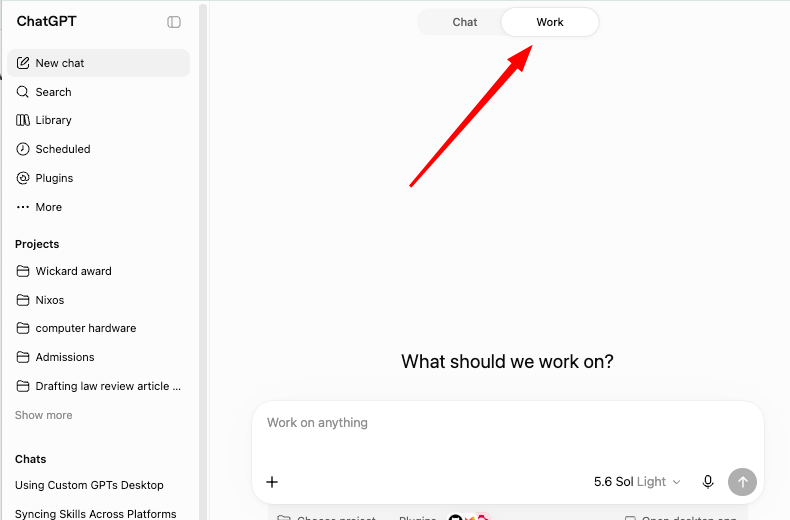
The Work interaction modality is the one that I would generally recommend for legal professionals and is for longer projects that produce a document, spreadsheet, presentation, report, or website. Again, you can use it via the ChatGPT website, on the mobile app, or via the desktop app. On the website, you just click on the Work tab that appears atop the typical ChatGPT window (see image below).
On the desktop app, to use Work you may well need to find the hidden (!) dropdown. The image below shows the UI saying "Codex" without any hint that it is actually a button. (UI details matter, OpenAI!)
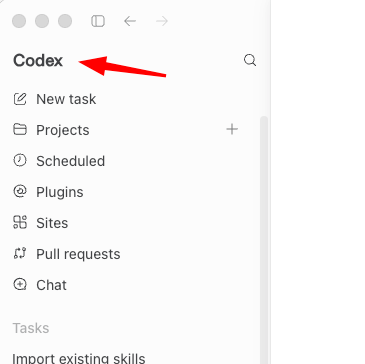
But if you click your mouse on "Codex" and then click the down arrow that appears (why should it take two clicks?), you will see a new button that is clearly marked "ChatGPT Work." Click it and you now see the following in the sidebar. Ta-da!
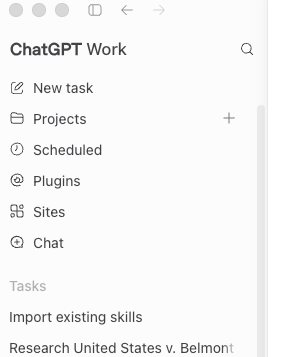
Codex
Codex is the agent that works with local folders, repositories, terminals, code, and technical tools. You can probably do everything in Codex that you can do in Work. But as Codex is intended primarily for coding and as Work was created precisely to avoid what are often needless complications of using Codex, I would recommend most legal professionals avoid Codex. It's not available directly via the ChatGPT website, although it is available on a separate website, chatgpt.com/codex/cloud. The primary access method is via the desktop app. We've already seen how to access it. Either the desktop app will land you in Codex on launch or, if it lands you in Work, you click on the ChatGPT Work line in the left side panel, then click on the down arrow, and then click on the Codex button that appears. (Would this be a good time to once again scream at the OpenAI UI developers for having created hidden interface elements that hinder discoverability and navigation?)
ChatGPT can now reach the law
Great. You can use the new models and capabilities in a variety of ways. What about doing grounded legal research from within ChatGPT? A lawyer, after all, cannot safely research from whatever fragments of cases happen to be stored in a model's training data. The model needs access to current, full-text, verifiable authority.
Remarking that a model needs access to full-text verifiable legal authority may sound obvious now. It was not obvious in the first years of generative AI, when people were so impressed that the technology worked at all that they tended to overlook the proclivity of those systems to confidently invent cases or cite real opinions for propositions they did not contain. And, as chronicled in the AI Hallucination Cases website of Damien Charletin, there are still nincompoop lawyers or sadly overconfident pro se litigants who run afoul of this deficiency to the detriment of themselves, clients, the legal system, and, worst of all, the reputation of AI. The latest version of ChatGPT and its connectivity features makes lawyer promulgation of these hallucinations ever less excusable.
There are now several vehicles for doing grounded legal research from within ChatGPT.
Midpage
First, ChatGPT now directly connects to Midpage through what the new user interface describes as a "plugin." I can ask a legal question in ChatGPT, have Midpage search its case-law database, and receive an answer linked to the opinions the model used. I can then open the cases and check the work.
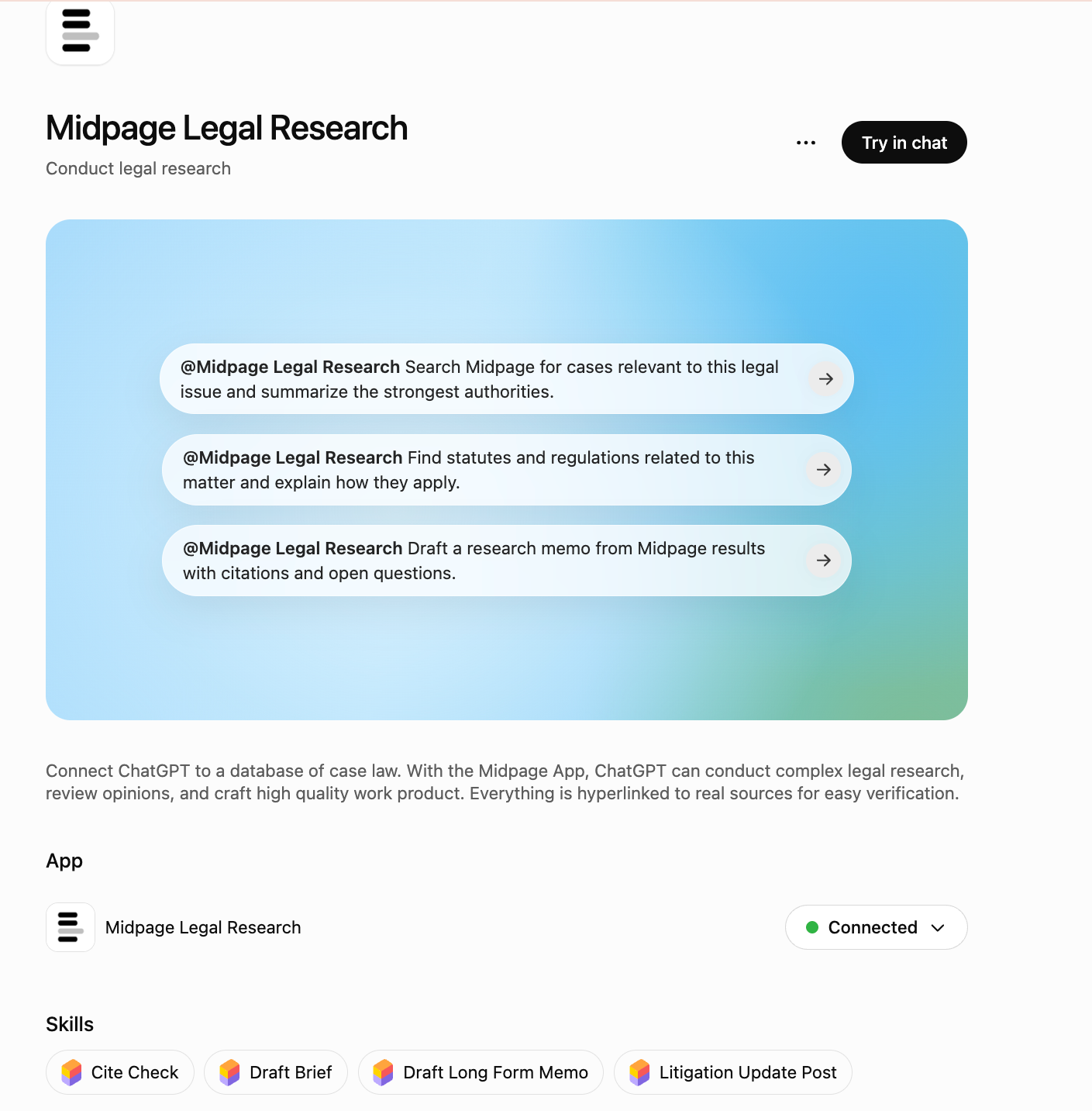
Note: Midpage is not free merely because the connector appears in ChatGPT. Midpage says an active subscription is required after a two-week trial. The integration removes the need to move between products; it does not eliminate the price of the underlying legal database. See Midpage's ChatGPT instructions and its connector announcement.
Descrybe
Descrybe offers another route to do grounded legal research while staying within ChatGPT. On the desktop app, you install it as a Plugin. Basically click on "Plugins" in the left side panel, search for Descrybe, and, when it shows up, install it.
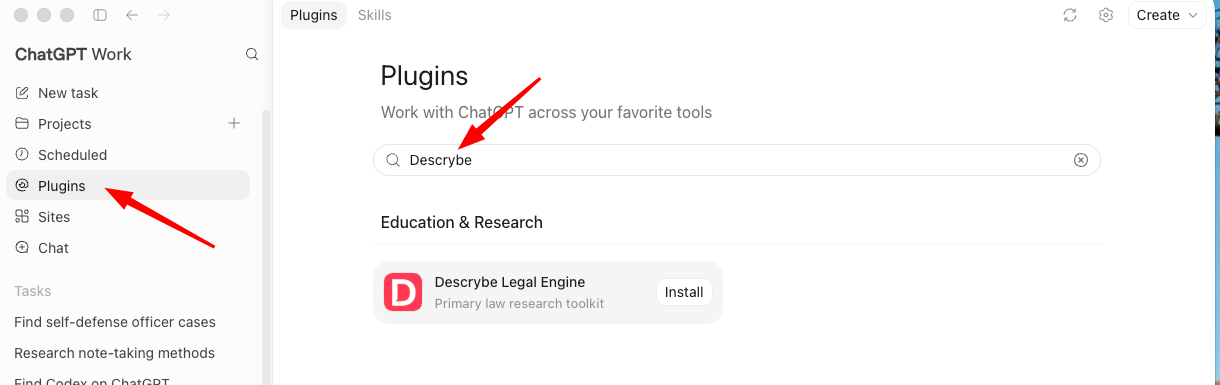
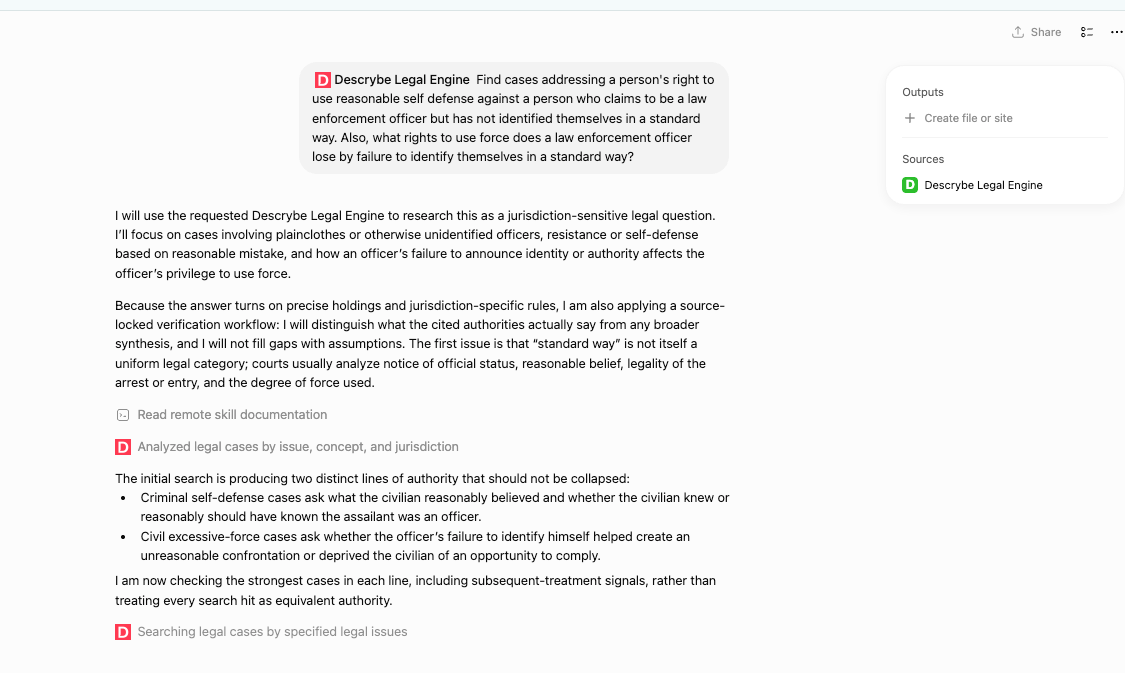
Here's a screen capture showing what one can do with Descrybe once it is installed as a Plugin. Once you have authenticated to Descrybe, you can use its tools for research.
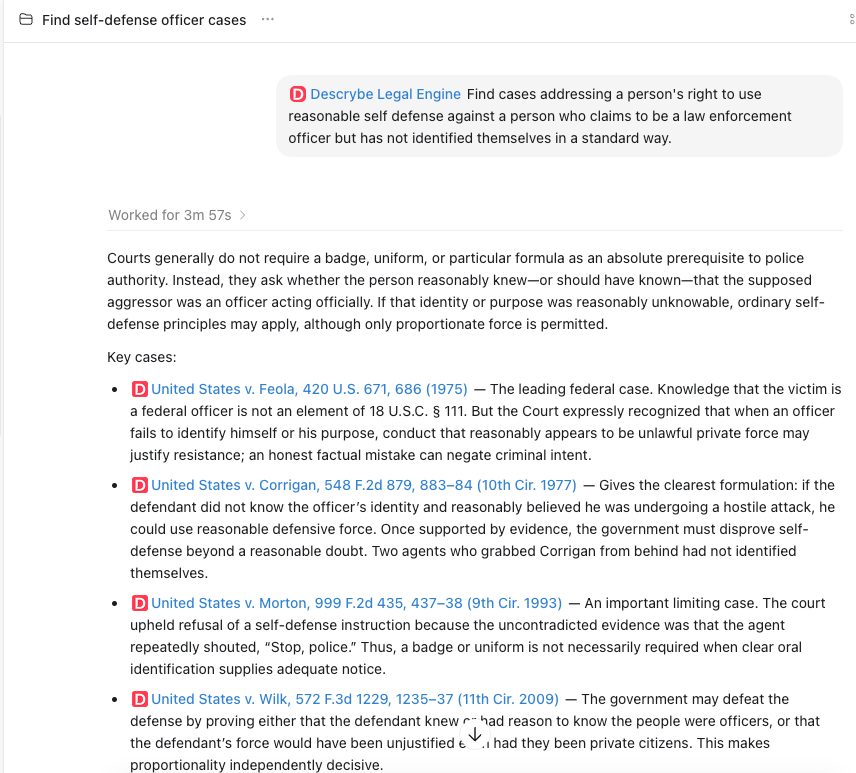
The installation process for Descrybe using the ChatGPT website is almost identical. Below is a screen capture showing ChatGPT via the Web using the Descrybe tools to research a similar issue.
Lexis and Westlaw
Plugins: Nope
I also wish I could tell you that there was an ability to use plugins to access Lexis Protege (or, really, anything from Lexis) or Westlaw's CoCounsel (or, again, really anything from Westlaw) from within ChatGPT. It would be great if one could stay within the happy and flexible confines of the ChatGPT app with all of its features and do legal research using direct connections and the two most prominent vendors. Claude at least purports to let you access these two services provided you have the right type of subscription from Lexis and/or Westlaw. At the moment, however, ChatGPT does not seem to have any plugin access to either these two providers or, for that matter, to Bloomberg Law or Clio Work, both of which have generally strong reputations. The first company to get a ChatGPT plugin to market and relax licensing restrictions is going to get a lot of business from lawyers!
Computer Use: Yes!
There is, however, now a workaround from within ChatGPT: the "Computer Use" feature. Basically, like its now obsoleted predecessor product ChatGPT Atlas, ChatGPT itself can now take control of your computer so that, in theory, almost anything you yourself could do on your computer through the keyboard + mouse interface can now be done by ChatGPT. It's not ideal and, as set forth in the green box below, conceptually ugly, but it does seem to actually work.
By forcing AIs to use "Computer Use" (controlling the mouse and keyboard on a graphical interface), we're making them operate in a domain where humans have the comparative advantage, rather than letting them operate in the domain where computers have an overwhelming comparative advantage.
Graphical user interfaces were designed for humans — they tolerate imprecision, ambiguity, visual interpretation, and slight variations in layout. Humans are relatively good at this kind of flexible, visual-spatial interaction. Computers, by contrast, excel at precise, structured, rule-based, machine-to-machine communication (which is exactly what APIs and MCP provide).
When we make AIs pretend to be humans clicking around a screen, we are:
- Asking them to do something they're relatively bad at (visual interpretation + imprecise motor control), and
- Preventing them from doing what they're extraordinarily good at (fast, precise, reliable, structured interaction).
This is conceptually similar to making a calculator solve problems by having it watch a human do long division on paper, instead of just giving it the numbers directly. It wastes the computer's core strengths (precision, speed, consistency, and structured data handling) while forcing it into a medium built around human limitations and tolerances.
In short: APIs and MCP let computers be computers. Computer Use forces them to be bad humans.
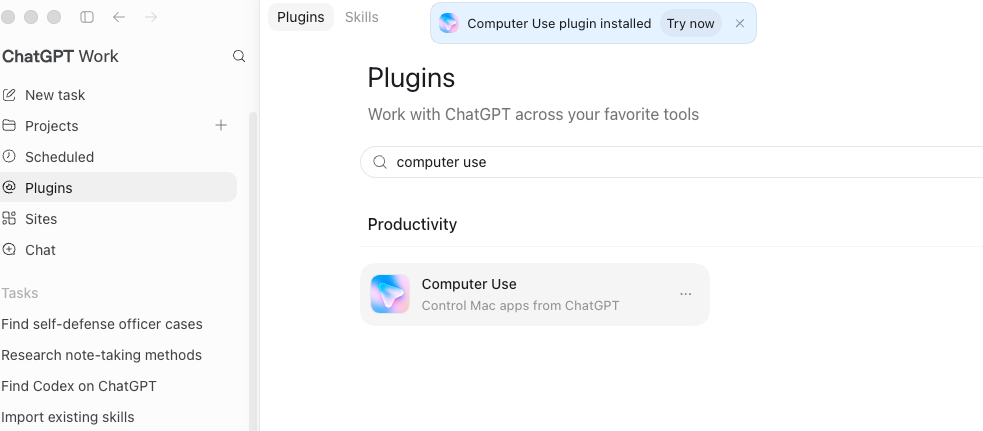
Here are the steps. First, install the Computer Use Plugin.
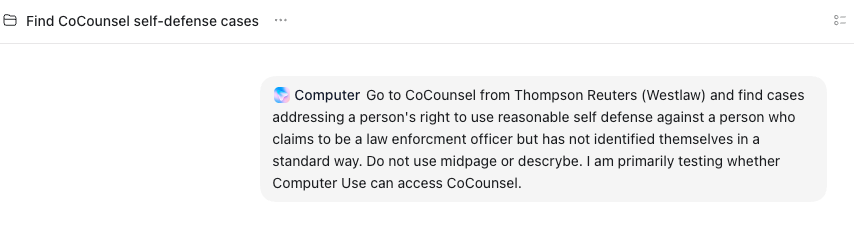
Once it's installed, we can run queries:
You will get a security warning:
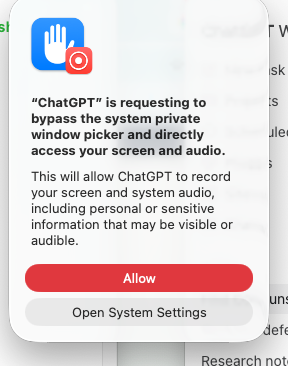
But then, we see a browser tab opening and beginning to do work.
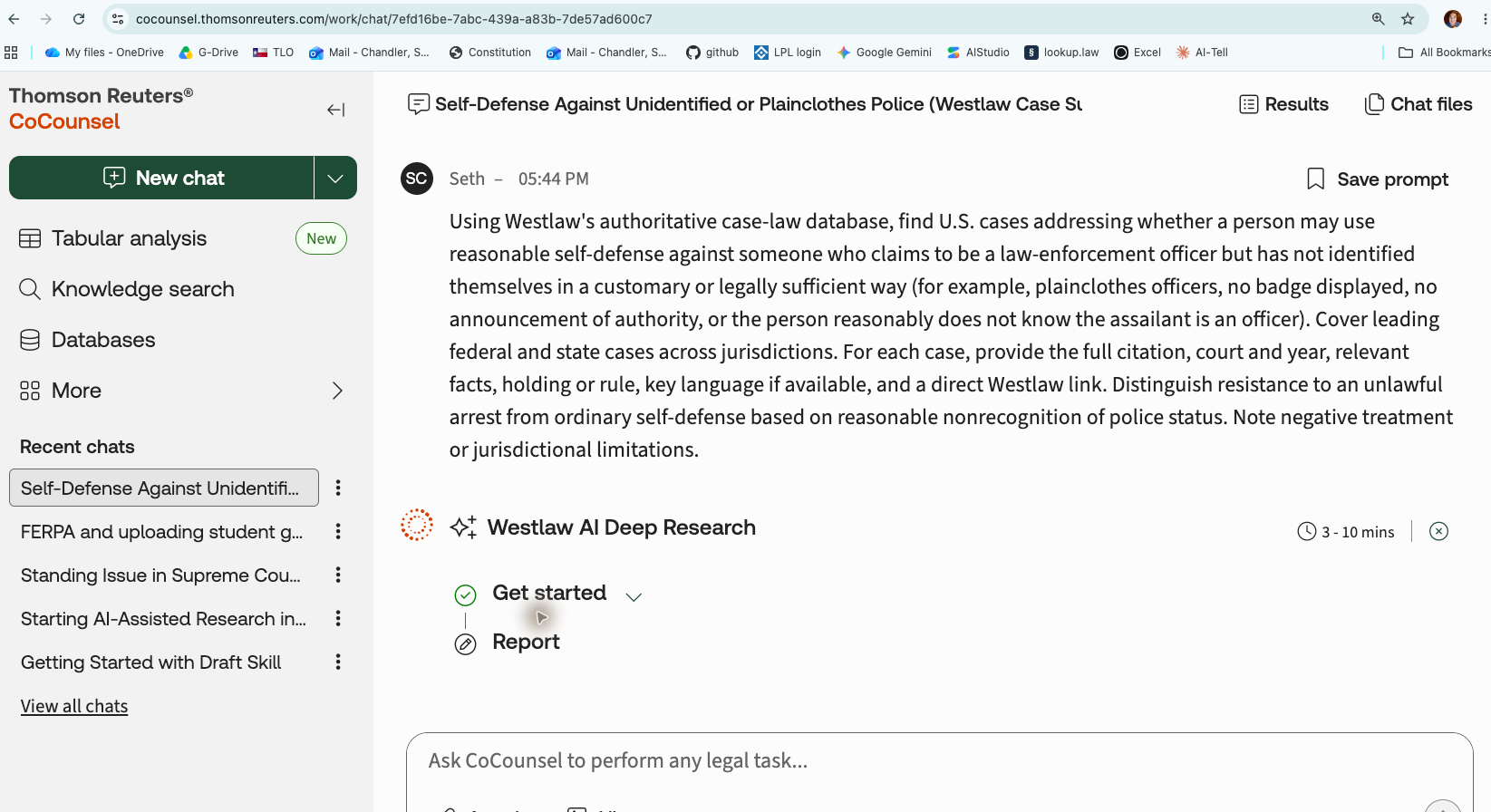
And we see ChatGPT orchestrating the process: both the browser tab and the ChatGPT app are active while ChatGPT basically takes control of one's computer. The process can take a very long time, but that is in part because CoCounsel is attempting to do a very thorough job of "deep research."
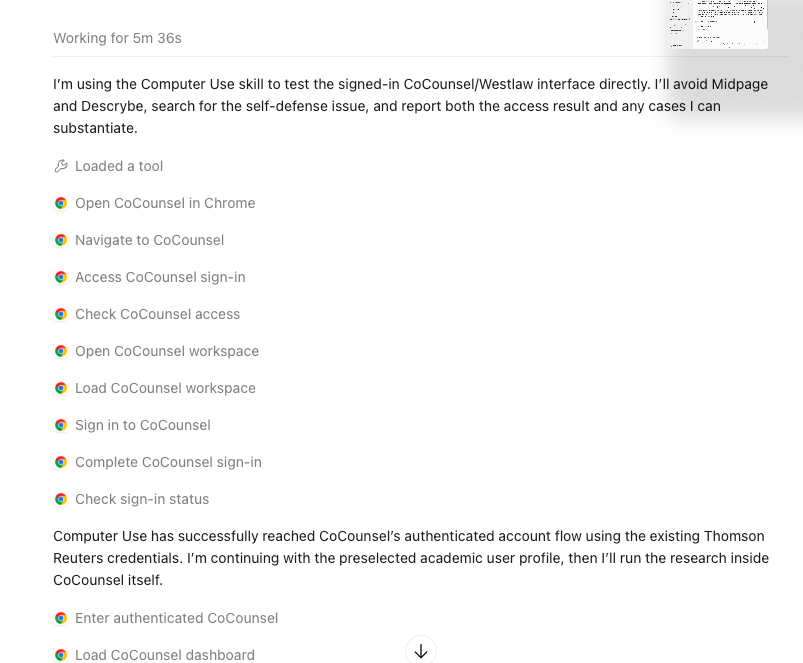
Here, after 16 minutes, is the beginning of CoCounsel's answer.
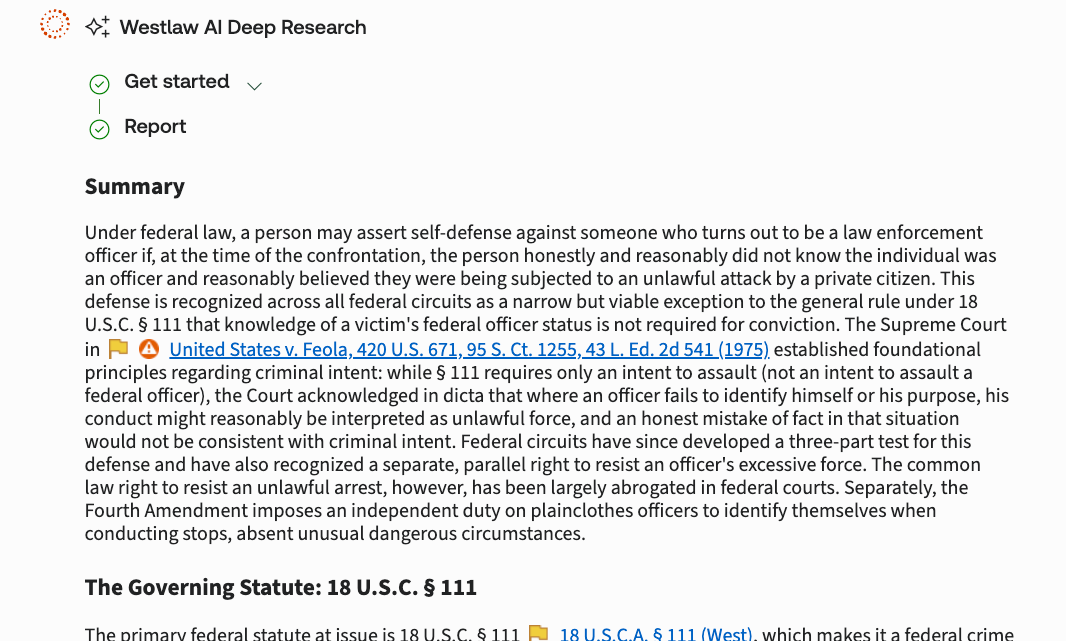
And here is ChatGPT's discussion of its own work:
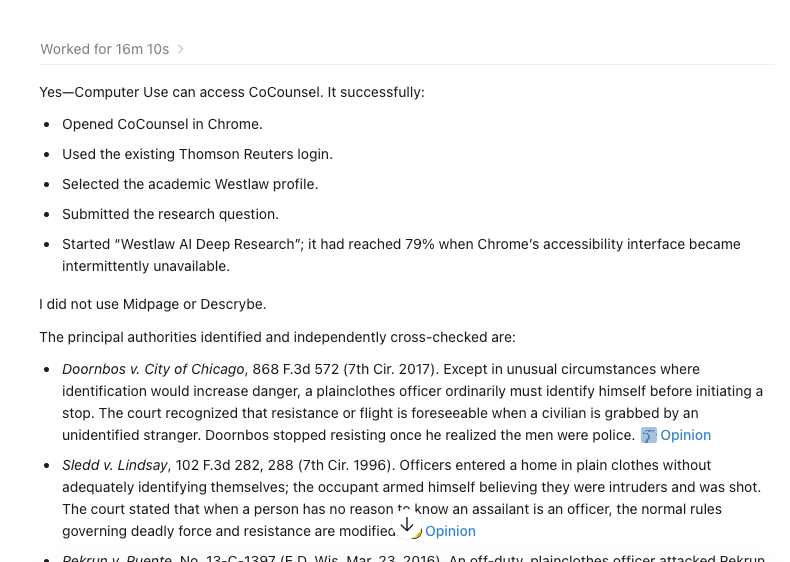
Here's the Word file containing the complete results from my ChatGPT query.
CourtListener
I wish I could tell you that ChatGPT can connect to CourtListener in the same way that Claude can do so. The virtue of CourtListener is that, unlike Midpage and Descrybe, it is free (up to a point) and gives an AI access to opinions, PACER data, citation networks, oral arguments, judge information, alerts, semantic search, and citation verification. Alas, at the moment the instructions on the CourtListener website do not correspond with the new desktop app and I could not get it to install on the web app. Maybe it's user error, but if a user who is immodestly in the top 1% of the lawtech world can't figure out how to do it, the instructions need to be improved. Once I learn how to do it, I will either revise this post or draft a new blog entry.
Non-legal research
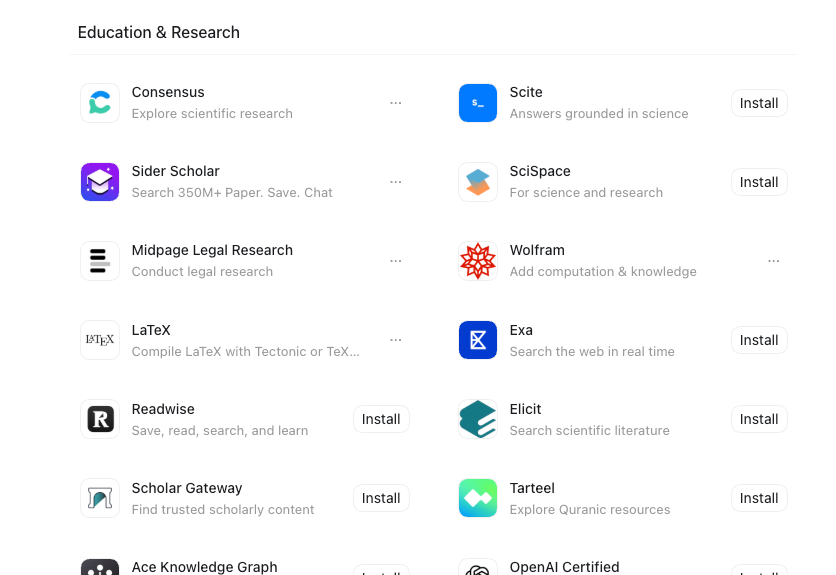
It is also easier than before to do grounded non-case research from within ChatGPT. As shown below in the screen capture, there are now numerous Plugins that access various quality research sites. I use Consensus, which has excellent non-legal coverage and some legal coverage, and have had good luck.
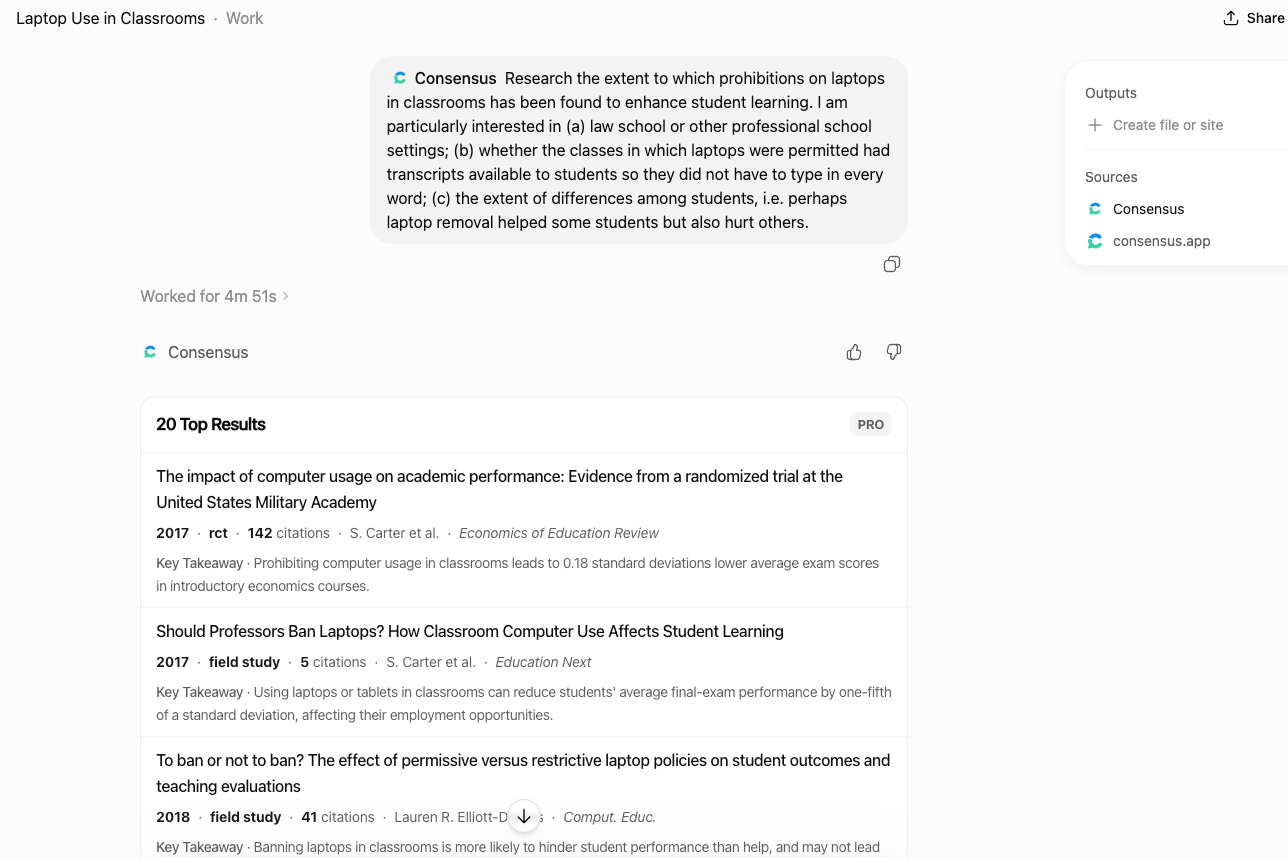
Here's an example of some Consensus research catalyzed by a (bonkers) University of Chicago Law School ban on laptops during the first year.
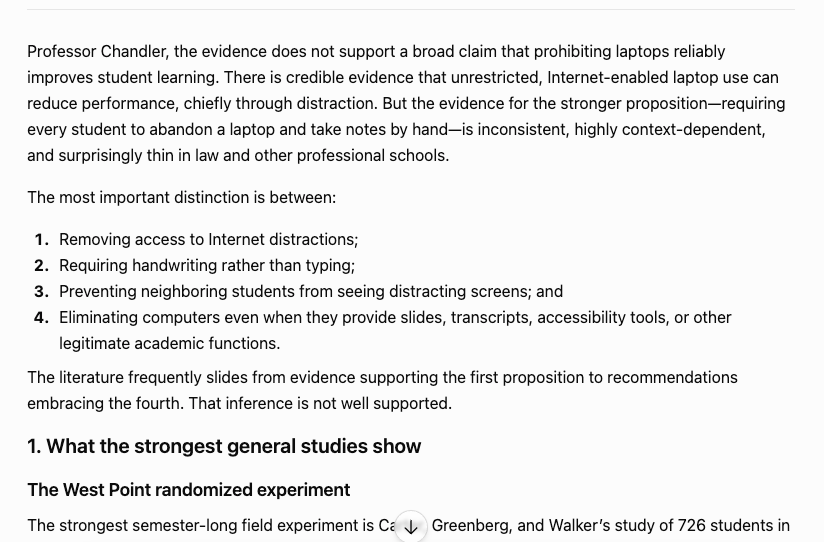
And here you can see the answer it provided after looking at over 50 sources:
Summary
Right now, and despite these advances, ChatGPT still trails Claude in the number and polish of its legal integrations. Midpage and Descrybe are a good start, not yet a complete practice environment. There is no Westlaw or Lexis direct integration, though one can access the two indirectly through the Computer Use Plugin now available in ChatGPT. The big picture, however, is that ChatGPT is vastly improved. One no longer has to do legal research based on its training data. ChatGPT can directly access the raw materials of the law. And that grounding is a very big deal.
ChatGPT can use skills and CustomGPTs
One of the reasons people in the legal profession might want to use a frontier AI like ChatGPT as their base for doing legal research is that, unlike Lexis and Westlaw, and indeed unlike Midpage and Descrybe, you have the option of combining results from grounded legal research with the panoply of capabilities now available from within the frontier's harness. In the ChatGPT world, these have long included CustomGPTs and increasingly include the same "skills" that have long been part of the Anthropic/Claude ecosystem. In short, if you were impressed with what Claude for Legal could do, you should be very happy to know that, with a little effort, ChatGPT can now do much of the same.
CustomGPTs
Accessing CustomGPTs and skills is fairly straightforward if you are using the ChatGPT website.
On Web
From the left sidebar, click on "...More". Doing so will expose a "GPTs" option.
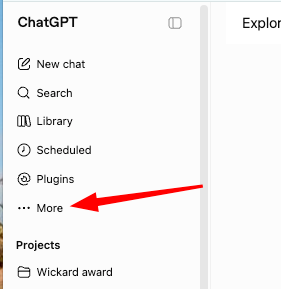
From there you can get an interface that exposes both public CustomGPTs and those you may have already created. You can search for CustomGPTs of interest. In the screen capture below, I search for one I have published that uses the techniques of Professor Eugene Volokh to evaluate legal academic writing topics.
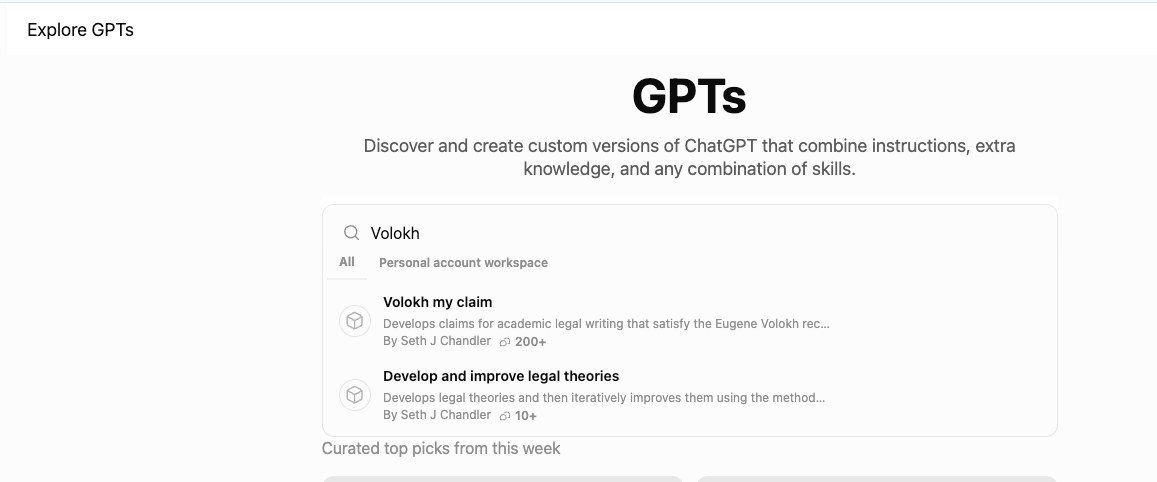
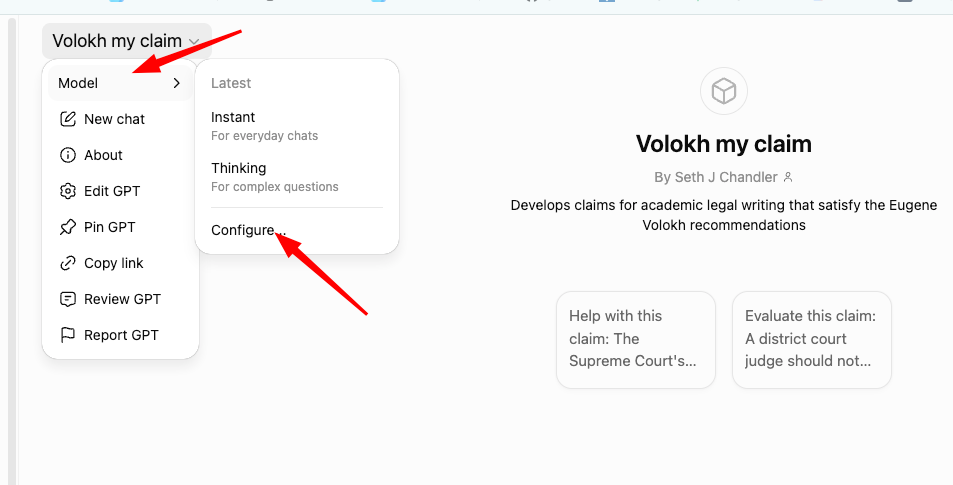
With a little effort you should be able to get ChatGPT with a CustomGPT to use the model of your choice. To do so, click the drop-down arrow to the right of the GPT name and then click Configure.
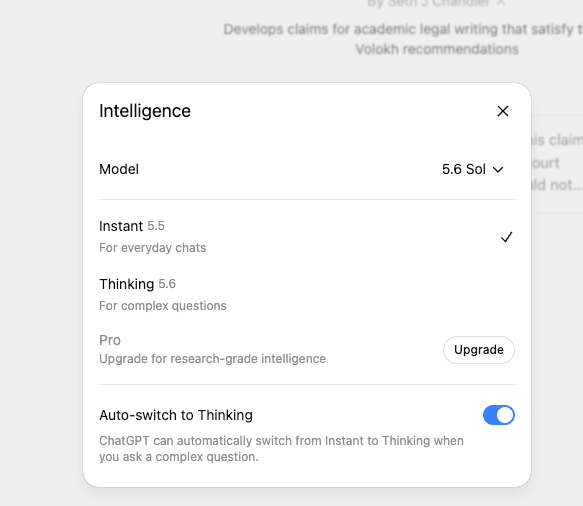
You should then get a dialog that looks like this. You can pick the model using the drop down and then select how much thinking you want the model to do.
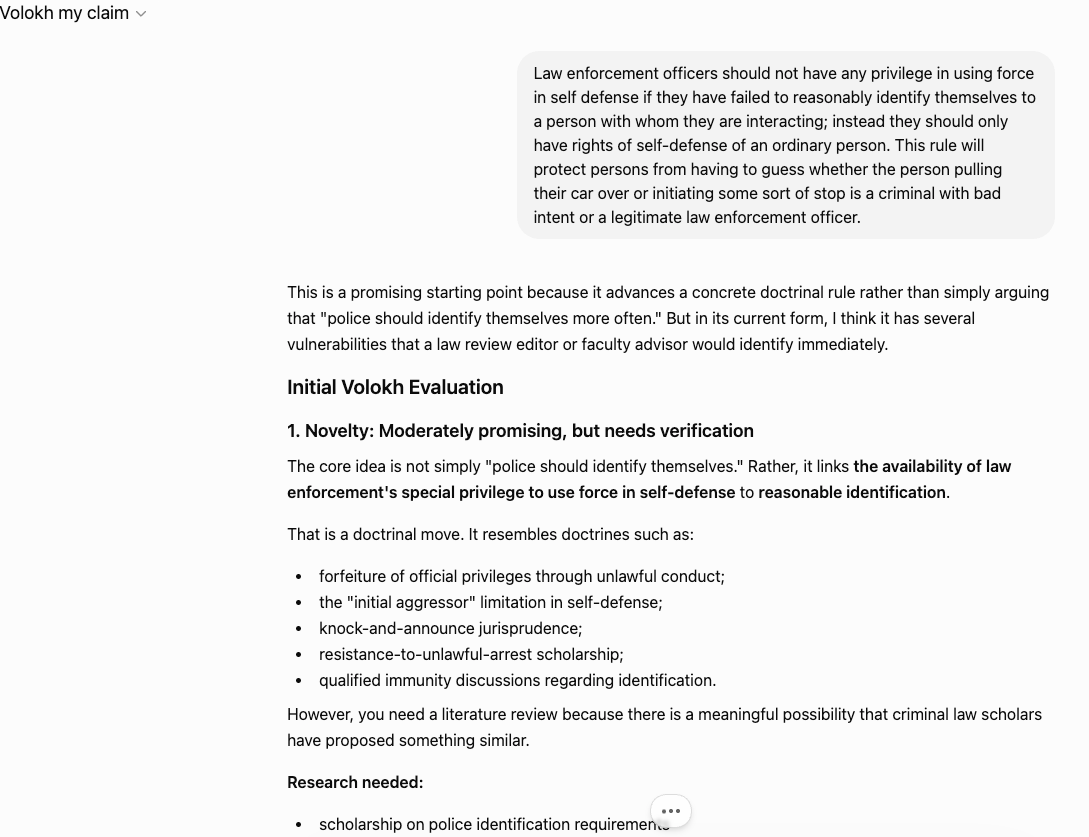
Here you can see the "Volokh my claim" CustomGPT in action. The topic is motivated by a recent ICE shooting in Houston.
On Desktop
Bad news. At the moment, I can not figure out how to use a CustomGPT from within the desktop app. That's true whether you are using the ChatGPT Work surface or the Codex surface. I believe this is because, in OpenAI's way of thinking about things, CustomGPTs are for "Chat" and only a barebones version of Chat is available from within the desktop app. So, if you want CustomGPTs – and there are some amazingly useful ones – just use the ChatGPT website, at least until ChatGPT empowers the Chat application from within the desktop app.
Skills
Skills are available when invoking ChatGPT from either the website or the desktop app. This is a huge deal because (a) skills are a far more powerful tool than CustomGPTs; (b) you can take skills built by and for Claude and migrate them over for use in ChatGPT; and (c) you can take skills built by and for ChatGPT and migrate them over into Claude or Grok or Gemini, often with full compatibility. The advent of ChatGPT 5.6 Sol means you can now combine – without paying for the privilege by the token – state-of-the-art power with a state-of-the-art model.
Skills on desktop
Building new skills
If you want to create a skill from scratch and are using the desktop app, ChatGPT (like Claude) has a prebuilt Skill Creator skill that guides you along the way. Here's how to find it.
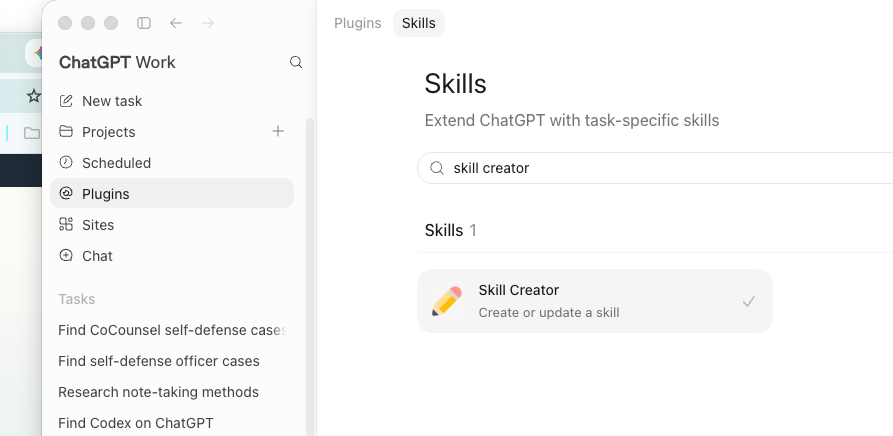
To run the skill creator skill (yes, I know, we are getting very meta here) you can just start typing @skill and a popup menu will appear that when clicked in the obvious place will load up the Skill Creator skill into your query. Then you just ask for help. I decided to give the Skill Creator what I thought would be a very difficult challenge: to create a skill that would encode a Supreme Court opinion using the detailed 121-page rubric of the Supreme Court database. Here's a screen capture of the interaction:
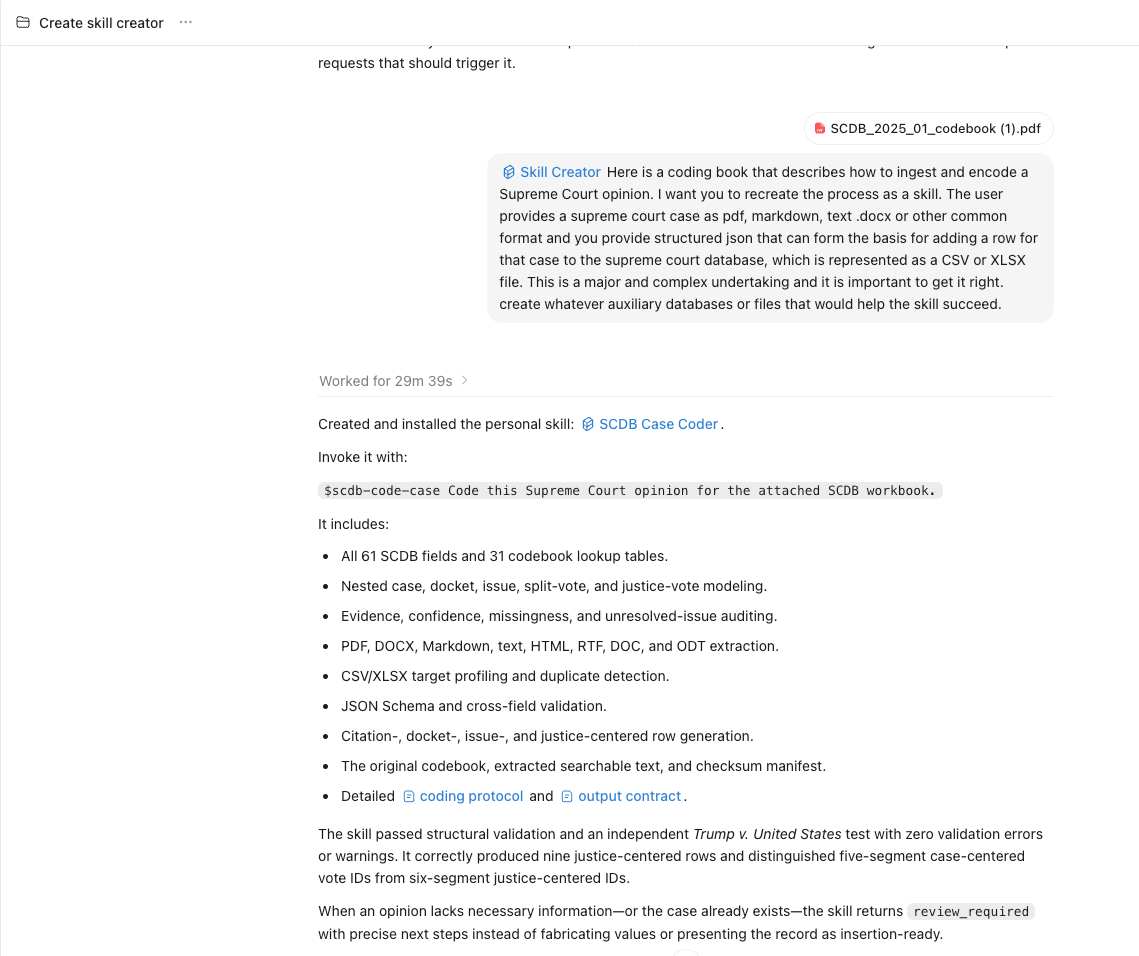
Notice that it took the most advanced model 30 minutes to come back with a response. This is not AI of a few years ago where interactions could be sustained over only a few seconds. We can now get very complex work done.
I then tested the resulting skill on a recent Supreme Court case that I've discussed on this blog: Mullins v. Al Otro Lado. It took 12 minutes, but at the end of that time we had a 2,691-line JSON file containing the requisite information and a self-audit of its own processes.
Here's a visualization of the result. It even notes areas in which it wants supplemental human review. Glad ChatGPT knows its limitations.
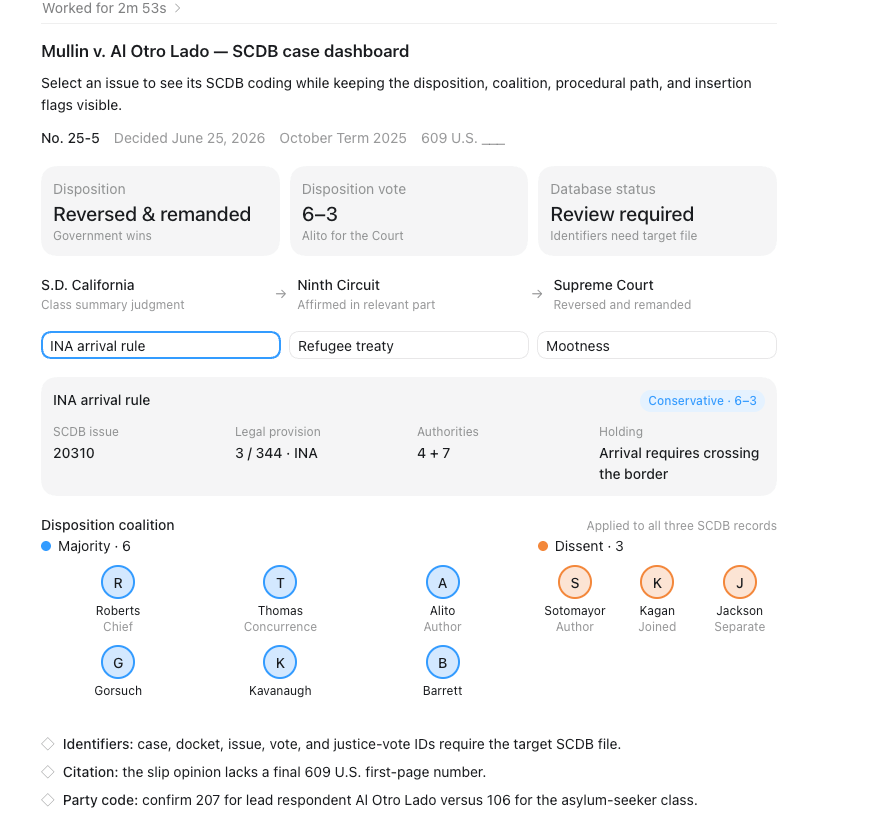
ChatGPT can also discuss its own work in terms humans can understand.
Mullin v. Al Otro Lado is a 2025 Term immigration decision concerning when a noncitizen “arrives in the United States” under the Immigration and Nationality Act. The litigation arose from DHS’s metering policy and reached the Court after the Southern District of California granted classwide relief and a divided Ninth Circuit affirmed.
By a 6–3 vote, the Court reversed and remanded. Justice Alito wrote for Chief Justice Roberts and Justices Thomas, Gorsuch, Kavanaugh, and Barrett. Justice Thomas concurred separately. Justice Sotomayor dissented, joined by Justices Kagan and Jackson; Justice Jackson wrote separately.
The database coding identifies three distinct components. First, the Court interpreted the INA to require physical crossing of the border before an alien has “arrived,” rejecting the respondents’ asylum-processing claim. Second, it rejected an argument grounded in the Refugee Convention and Protocol, treating Sale v. Haitian Centers Council as controlling. Both holdings are coded conservative within the database’s immigration framework. Third, the Court held that the controversy remained live despite rescission of the metering policy, because declaratory relief constrained future governmental action. That ruling is coded liberal under SCDB’s specialized convention that favors exercises of judicial power.
The judgment favored the federal petitioners without declaring any law unconstitutional or formally altering precedent. Two cautions attend the coding: the reporter citation lacks final pagination, and the respondent classification may depend on whether Al Otro Lado or the asylum-seeker class is treated as the representative party. The record therefore captures both a substantive border rule and a revealing justiciability dispute.
Cool, if I do say so myself.
Prebuilt skills
If you have or can acquire a prebuilt skill, you can migrate it over to ChatGPT either by hand or (!) by using the skill-installer skill that is bundled with ChatGPT. Here, I type @skill-installer to ask it to find and install a statute briefing skill I created several months ago.
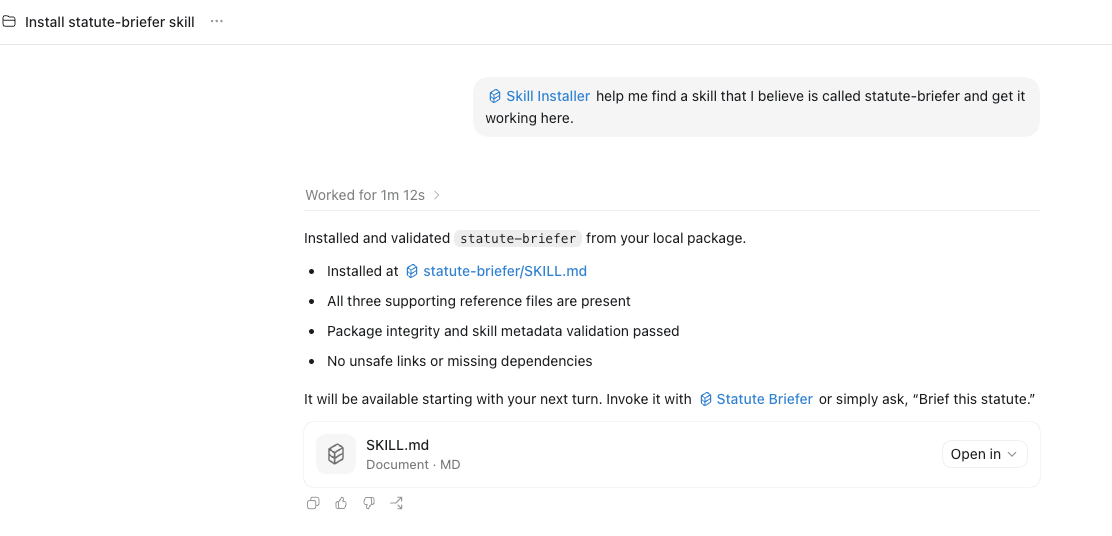
I can then invoke the skill (without having to restart ChatGPT) by typing @statute-briefer and providing a cruddy prompt that asks it to evaluate the immigration statutes at the center of the recent Supreme Court case, Mullins v. Al Otro Lado. The screen capture shows some of the result.
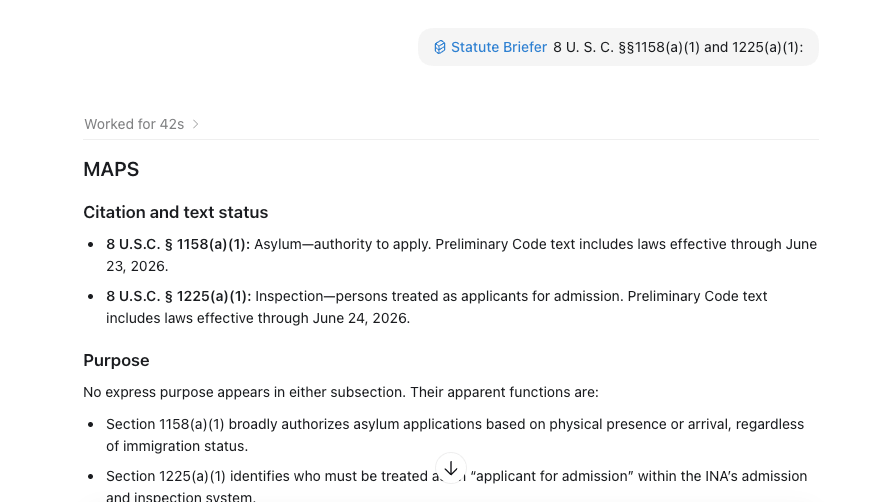
Here's the final result.
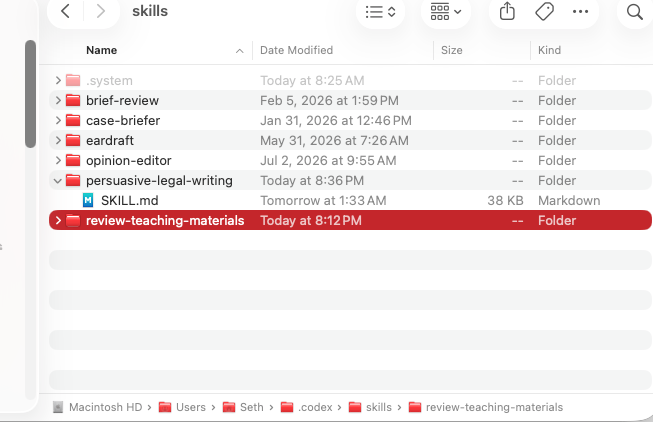
To migrate a skill by hand, copy over a folder containing the skill into ~/.codex/skills. Suppose, for example, I want to use the persuasive-legal-writing skill created by Larissa Meredith-Flister and made available at lawve.ai. I find the skill there and ask to download it. I tell lawve.ai my email address and a few minutes later get a link.
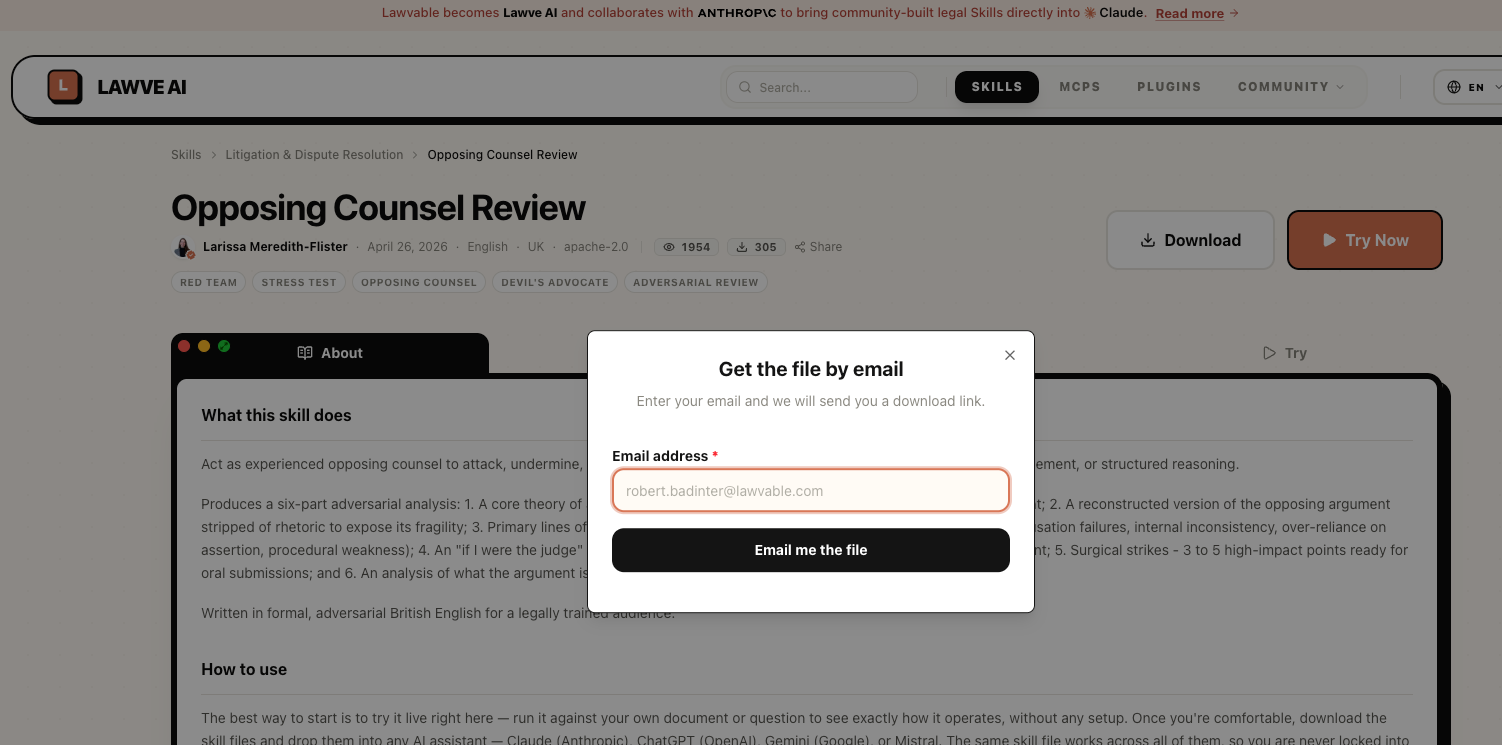
Here it gets a little tricky. I get a .zip file from lawve.ai. But ChatGPT desktop wants a folder that contains the contents of the zip file. So, at least on a Mac, I create a folder called ~/.codex/skills/persuasive-legal-writing and then explode the contents of the downloaded .zip file into that new directory. Here's what my ~/.codex/skills directory looks like as I write this blog entry.
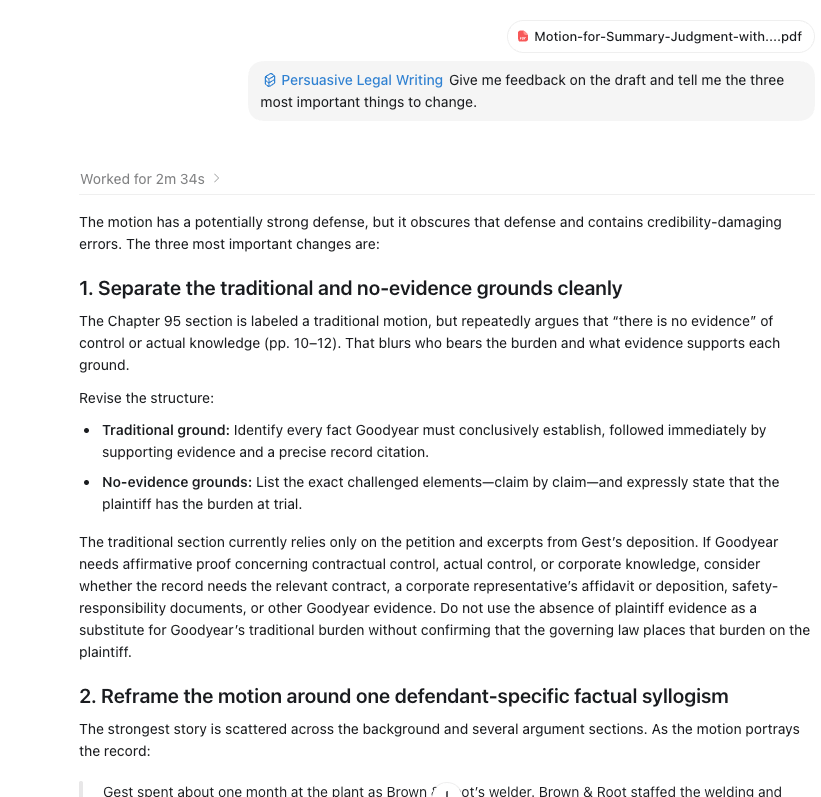
I can now use the skill. Again, ChatGPT wants you to invoke things like skills by hitting the @ sign and then typing. So I start typing @persuas... and the persuasive-legal-writing skill appears in a popup menu. I select it and then load in a sample summary judgment motion I found on the web. Here's a screen capture showing the interaction.
Skills on the website
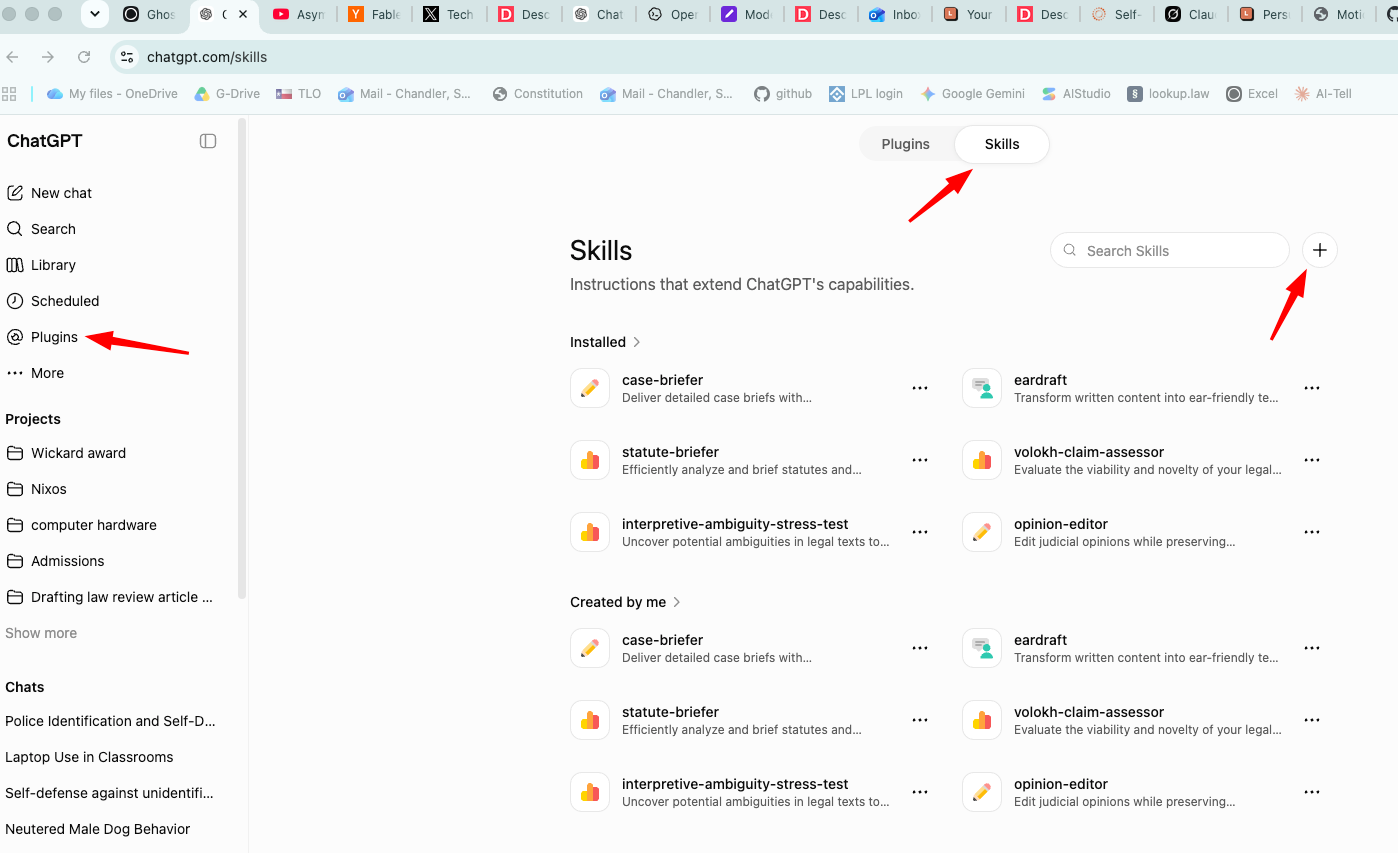
You can likewise invoke skills if you use ChatGPT from the website. If a skill is already available to ChatGPT on the website, you invoke it the same way as on the desktop. Type the @ sign and start typing the name of the skill. If, however, you need to add a skill, click on Plugins in the left side panel, and then Skills atop the page that pops up in the right panel. Then click on the little "+" button.
Once you click on the "+" button, you get three choices.
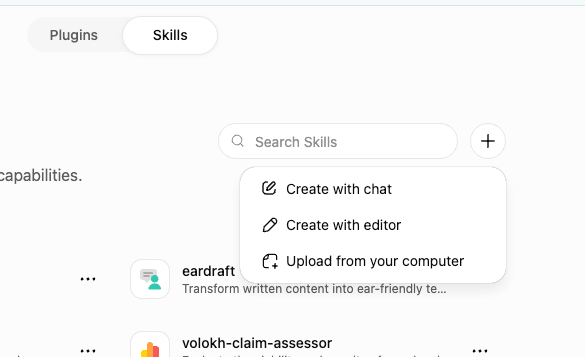
Unless you are expert, I would not create with editor. Instead, you can have ChatGPT guide you through the skill creation process by clicking on "Create with chat". Or, if you have a pre-built skill, click on "Upload from your computer." You get this box. Find the .zip or .skill file (or possibly just a SKILL.md) file and drag and drop.
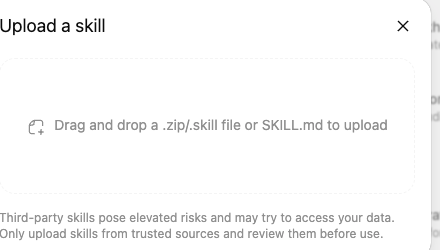
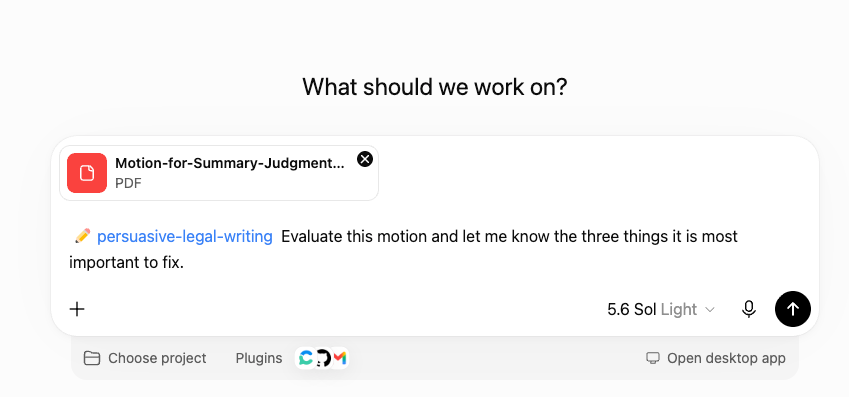
Here, for example, I drag and drop that same persuasive-writing-skill that I downloaded from lawve.ai and uploaded to ChatGPT desktop and now make it available to ChatGPT for the web. I now pick a model and invoke the uploaded skill by typing @persuasi..., seeing the persuasive-legal-writing skill pop up, uploading that same summary judgment motion, and putting ChatGPT to work.
Sites
So far, I have shown how the new ChatGPT comes close to matching or in some cases exceeding the capabilities of Claude. I now want to show a native capability of ChatGPT called "Sites" that Claude does not have – although I have previously shown how you can achieve similar functionality with a plugin. ChatGPT now builds sophisticated websites. Again, this is a huge deal. As I've discussed elsewhere, I believe websites should be a major component of education in an AI age. They let the student explore a curated universe of materials at their own pace and in their own way. For the past few months, this "Sites" capability has been available only to Enterprise customers. It is now available to all paid subscribers, which would include students, legal practitioners, and (most importantly) law professors.
To explore ChatGPT sites, I decided to build something I wanted to create anyway. I am teaching facial versus as-applied challenges to my advanced constitutional law seminar this spring. The subject looks simple until one tries to teach it. Students encounter "no set of circumstances," "plainly legitimate sweep," overbreadth, vagueness, severability, standing, and universal injunctions in cases that do not always use the labels consistently. A short handout either hides the difficulty or drops students into doctrine before they understand the basic litigation choice.
I asked ChatGPT to research the key cases using Midpage and build a public website. Here's a screen capture of our interaction. Note that I just typed @sites to invoke the site building skill, @midpage to ground my work in real legal raw materials, and @Consensus to supplement those efforts with secondary materials.
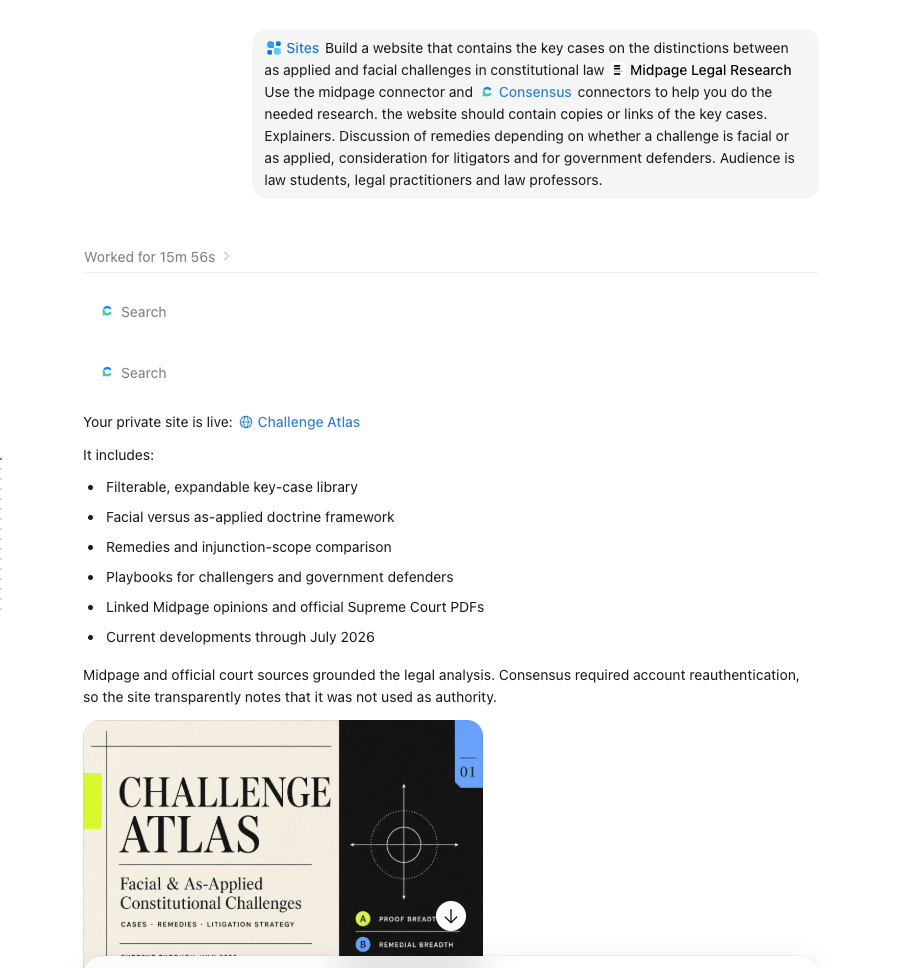
The first version was competent but flawed. The type was too small. Everything appeared on one long page. The links to the actual judicial opinions were hard to find. ChatGPT enlarged the type, broke the site into pages, and made the opinion links visible. I then asked for a scholarship page. Better. But the site still began in the middle. It assumed that the reader already knew what a constitutional challenge was and why a plaintiff might seek a narrow ruling rather than invalidation of a law across many applications.
That diagnosis produced the most important revision. We drafted a beginner's essay and divided it into a Start Here page, a comparison chart, a hypothetical, a glossary, and an analysis checklist. The result was now ready for publication. ChatGPT presented me with a "Share" button that let me make my work available to the world.
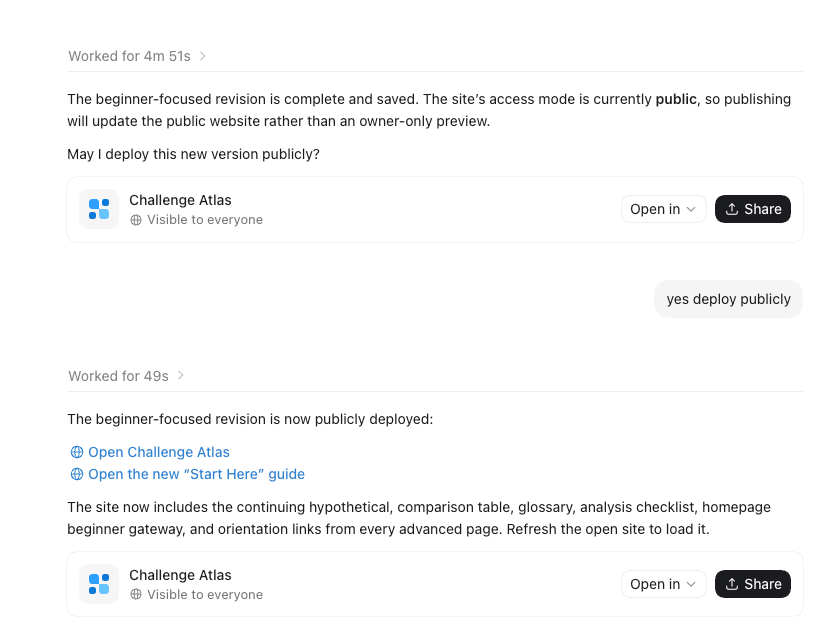
The current Challenge Atlas has separate pages for basics, doctrine, cases, remedies, litigation playbooks, and scholarship. Here's a screen capture of the landing page.
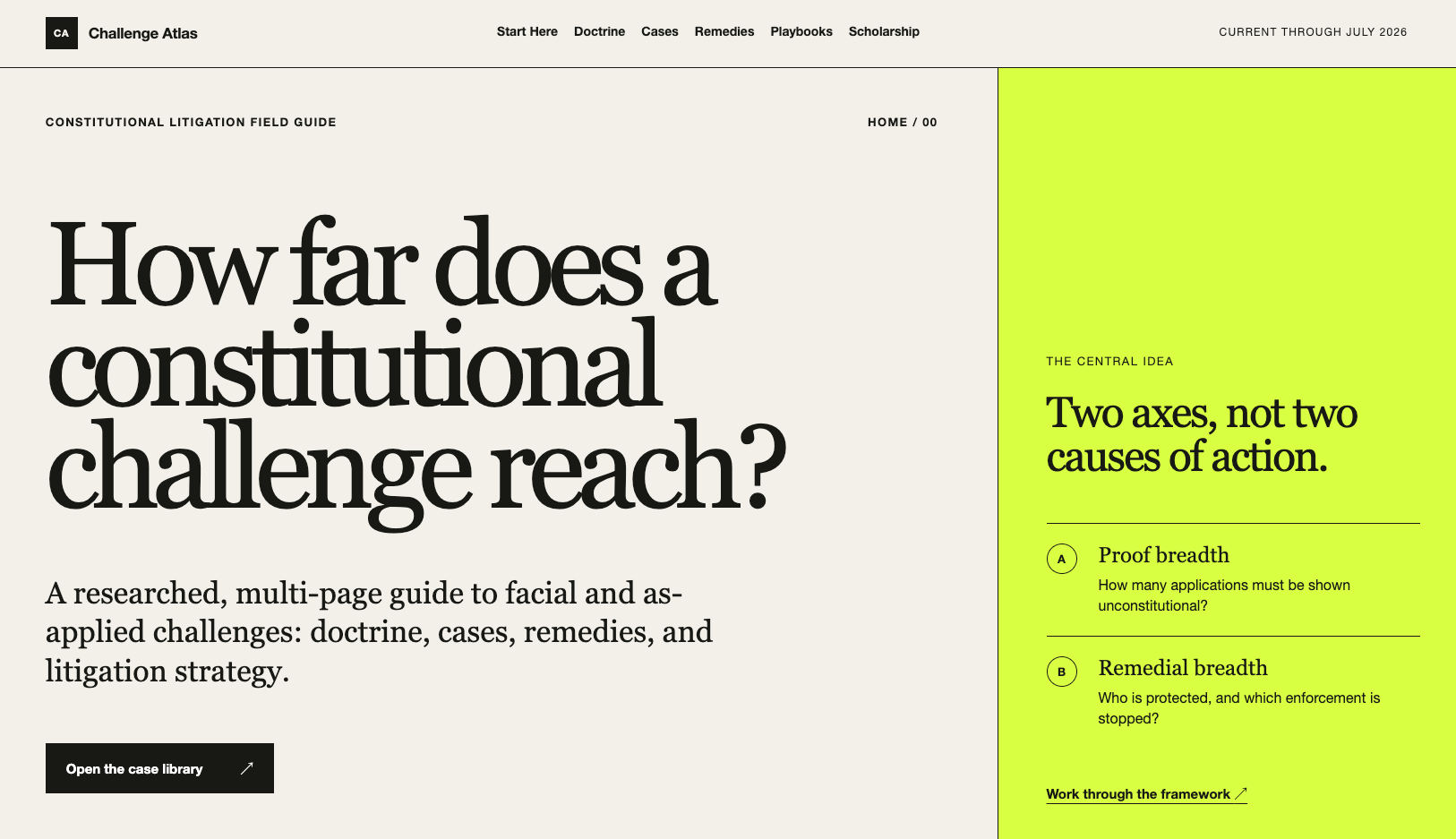
The case library covers fourteen Supreme Court decisions. You can filter the cases by type and result.
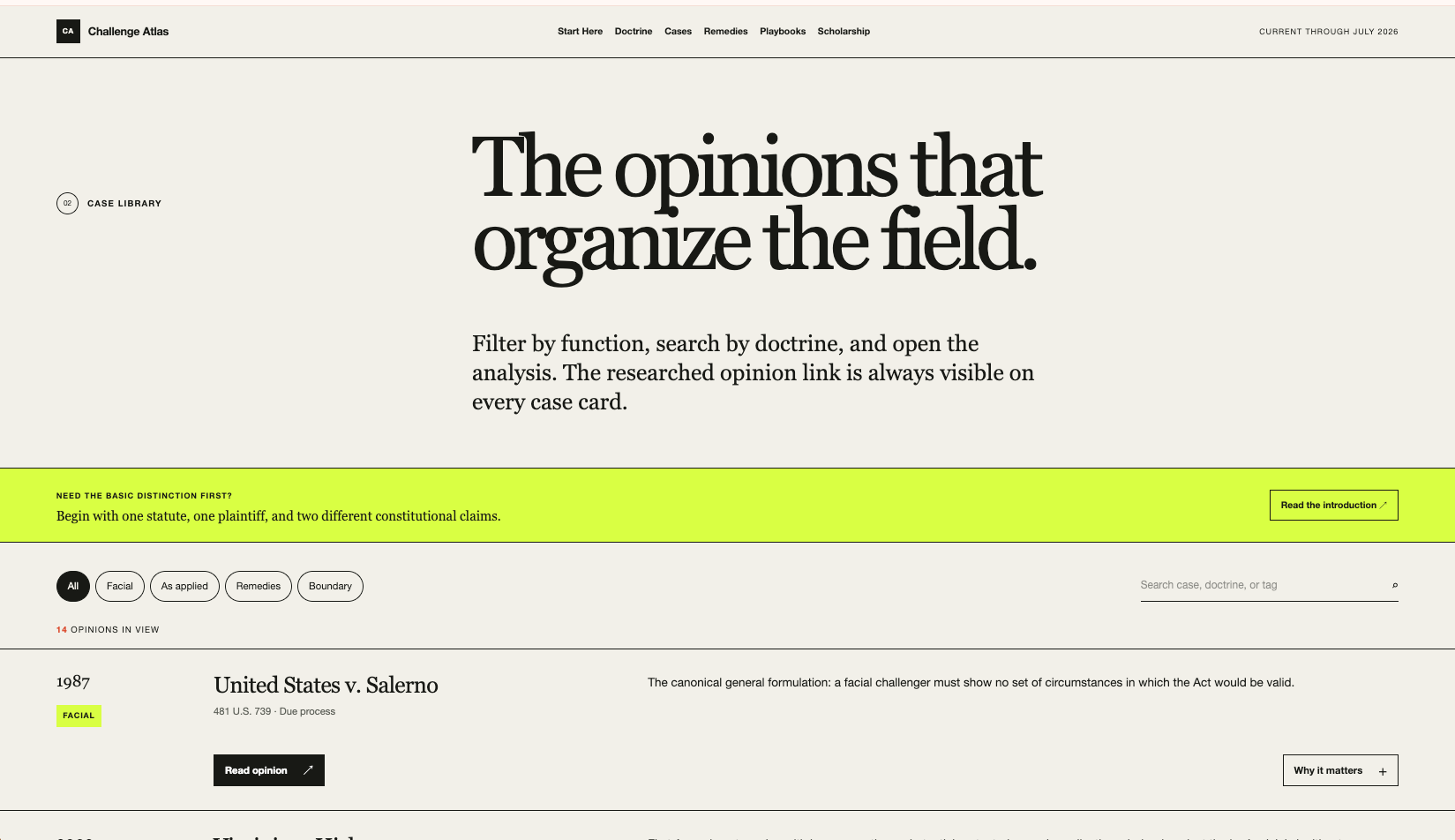
You can click on a case and get a brief report as shown below.
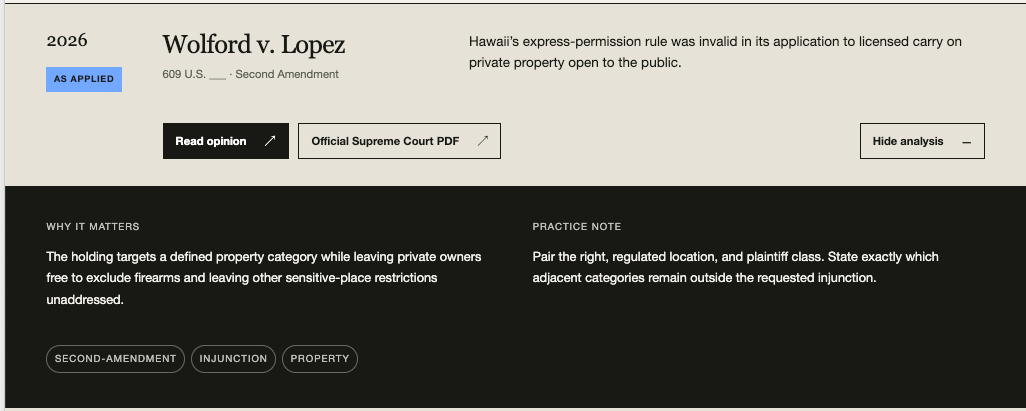
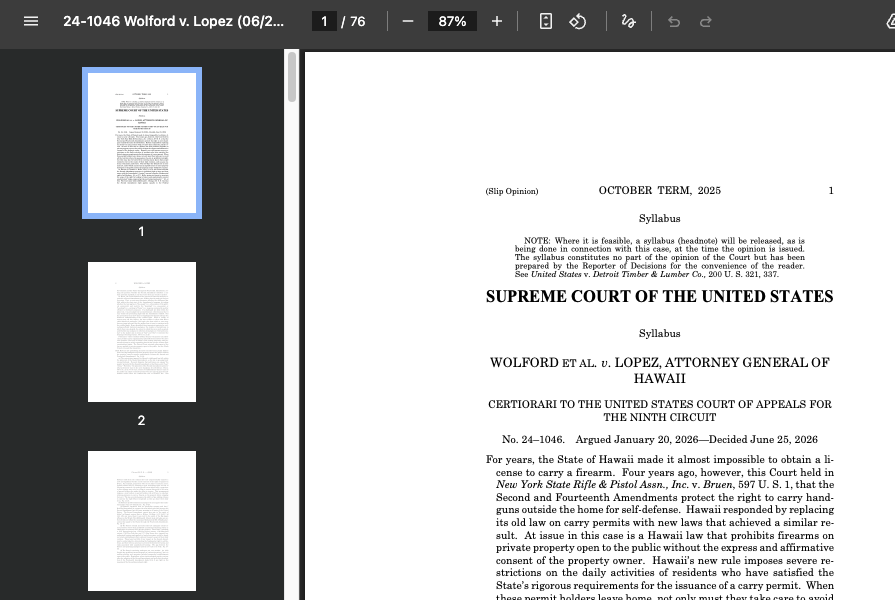
Or you can click on a button and read the original opinion in full.
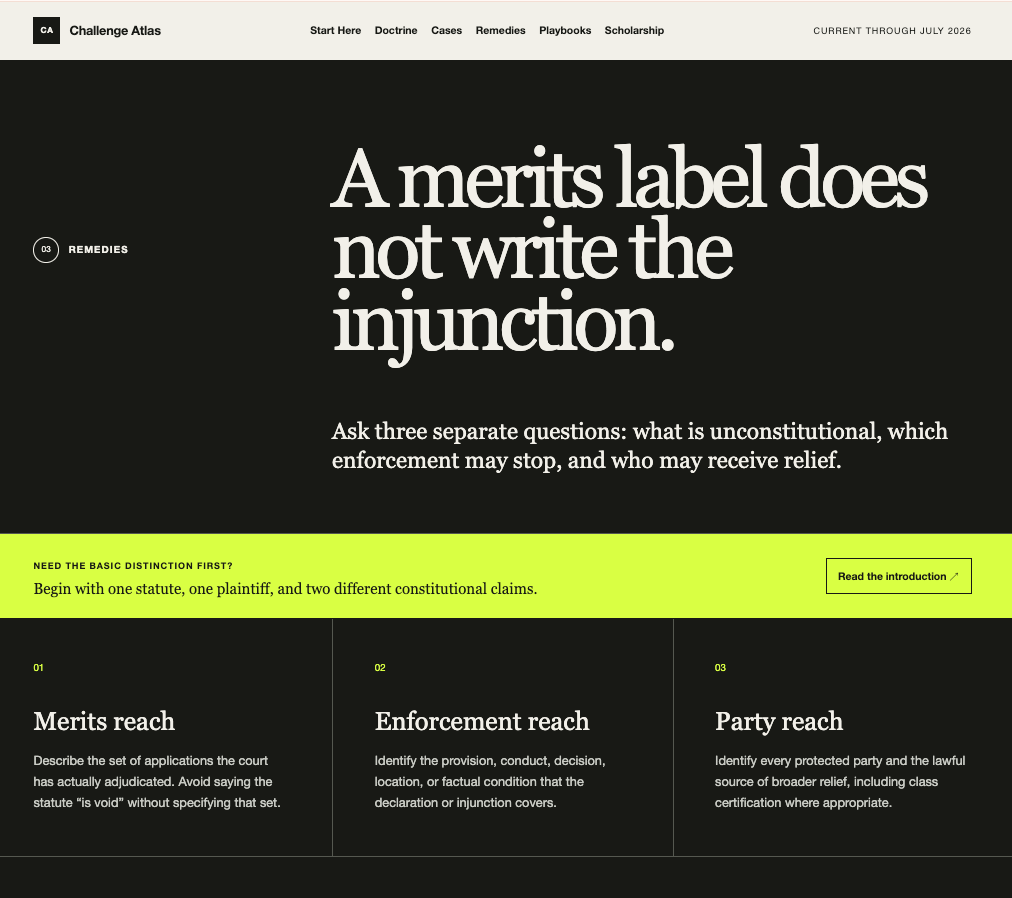
The remedies page distinguishes the breadth of the merits ruling from who receives relief.
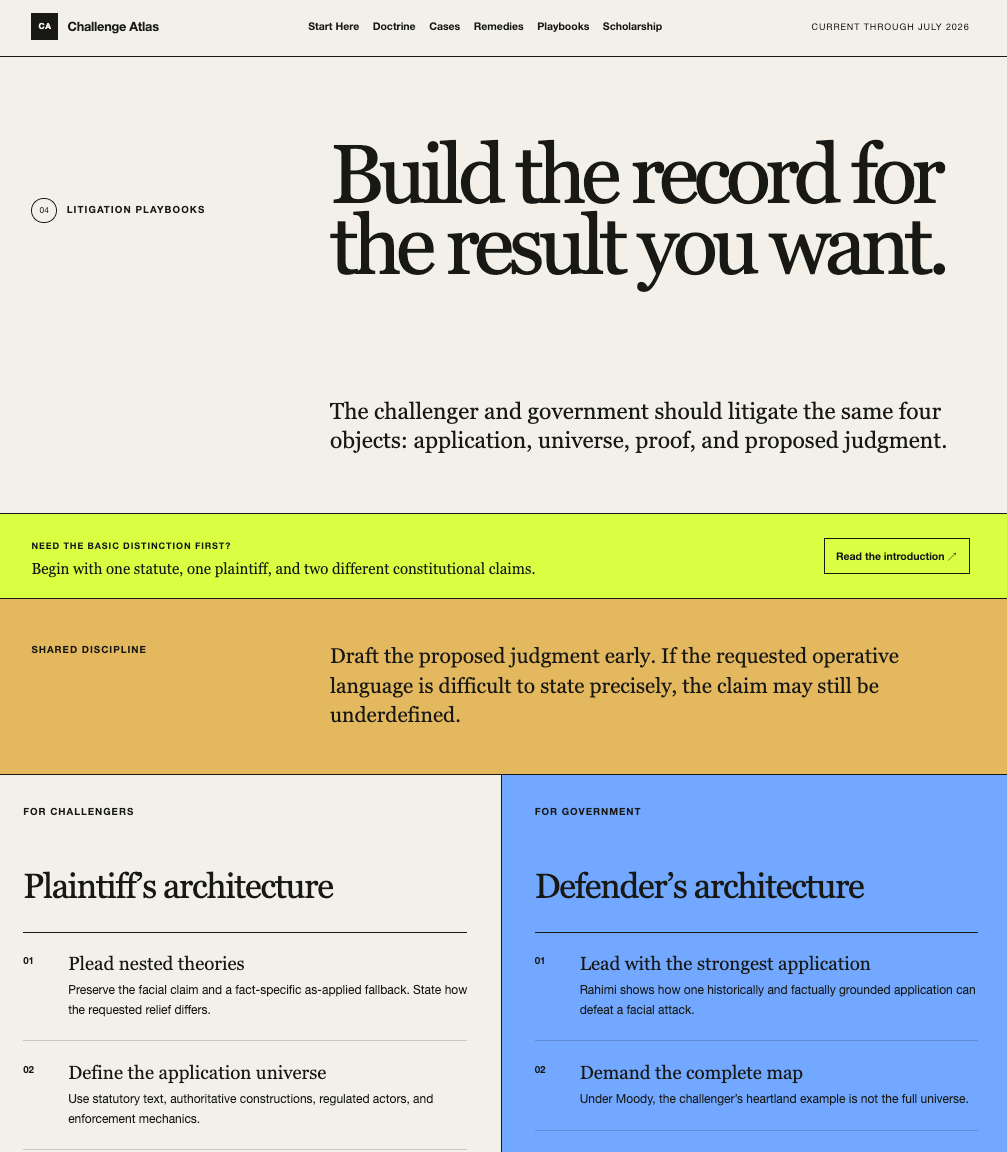
The playbooks page addresses real world challengers and government defenders.
There's so much more. Go take a tour. You will learn something not only about an underappreciated doctrine of American constitutional law but also about what is now possible using AI.
One more thing. Maybe some of my readers are not fond of the default style? I can't say, for example, that I am a big fan of mauve. You can ask ChatGPT to restyle the website. Here, I make University of Houston brass happy by asking for a restyle that is UH-branded. (Yes, I know. It needs another iteration to increase the vertical spacing, but I will leave that for another day).
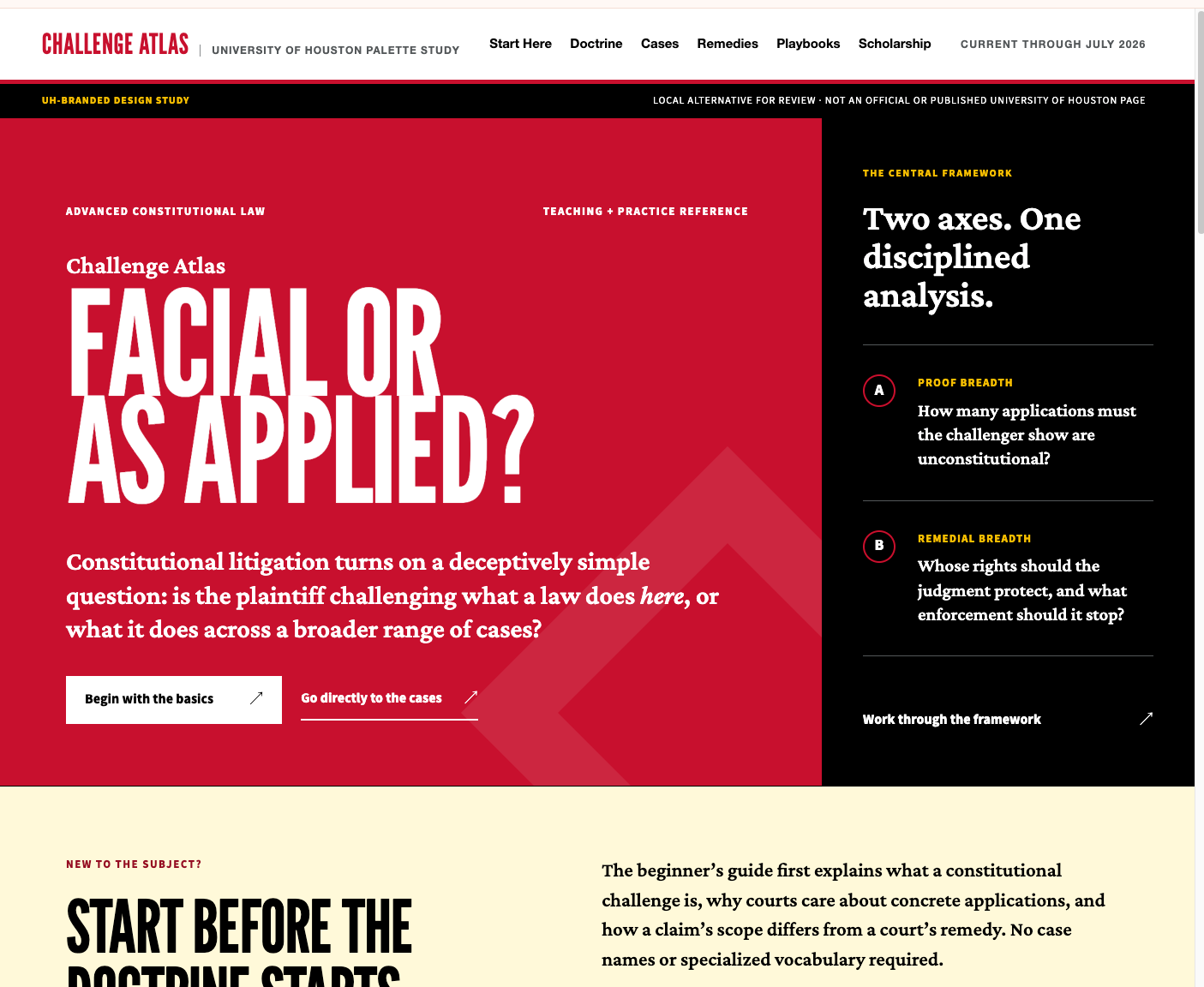
This is how I increasingly want to work with AI. I supplied the teaching judgment. ChatGPT supplied research, code, design, testing, and deployment. When I said "the site assumes too much knowledge," that criticism became a different information architecture. When I said "I cannot find the opinions," it became a rule applied to every case card. The useful capability was not one-shot website generation. It was the ability to keep revising the artifact as I learned what I wanted. Just two years ago, building and iterating a website of this complexity would have required a design team and many days. With ChatGPT "Sites," someone – like your typical law professor or law student or legal professional – who knows essentially nothing about HTML coding, JavaScript, or web design can put up something very useful in an hour or two.
No ChatGPT for Word yet
ChatGPT is reasonably capable with Microsoft Office files: it can create and edit .docx, .xlsx, and .pptx documents. But it still cannot, at least not nearly as well as Claude, join users inside the application where they already spend much of the day. OpenAI has nothing officially available that is comparable to Claude for Word. For lawyers, that matters because Word is not merely a file format; it is the workplace. Lawyers spend hours inside documents, using comments, tracked changes, paragraph styles, cross-references, and the review pane to turn drafts into filings, agreements, and other finished work. Claude for Word meets them there. A lawyer can select a clause and request a revision, ask Claude to work through comments, or direct it to place proposed changes in Word’s native review pane. The document remains the center of the work.
ChatGPT’s Work and Codex environments can read, create, and edit .docx files, and the desktop app can preview supported documents and revise selected text. Those are useful capabilities, but they are not the same as having ChatGPT beside the lawyer inside Word, responding to comments and proposing tracked revisions that can be accepted or rejected through Word’s ordinary interface. I suspect that ChatGPT for Word is coming: OpenAI already offers PowerPoint and Excel add-ins, and Word is too important to professional knowledge work to ignore. But that is a prediction, not an announcement. Until such a product exists, Claude offers an interface that ChatGPT lacks. If OpenAI wants ChatGPT to dominate knowledge work, it must meet users where they live. Lawyers live in Word.
GPT-Live
Everything discussed so far involves research, files, and screens. Legal education also has to prepare people for moments when another human being will not wait patiently for a polished paragraph.
Consider a moot-court argument. A student begins the answer she rehearsed. Ten seconds later the judge interrupts: "Counsel, that was not my question." The student has to stop, identify what the judge actually wants, answer it, and perhaps resume the original point. Or consider a client interview. The client pauses halfway through a sentence, starts again, reveals a damaging fact, and then asks whether it matters. A competent interviewer must know when to speak, when to interrupt, and when silence will produce more information.
Earlier voice systems were poor simulations of those encounters because they took turns. The user spoke; the system waited for silence; the system decided the turn had ended; then it generated a response. A thoughtful pause could be mistaken for completion. Once the system started talking, interruption felt awkward or failed altogether. The result resembled leaving voice messages, not conducting an interview or arguing before a court.
OpenAI has now introduced a new ChatGPT voice option called GPT-Live. In plain English, GPT-Live can listen while it is speaking. I can interrupt it, it can stop and adjust, and it can decide that my pause means "keep listening" rather than "deliver a two-minute answer." Engineers call this full-duplex interaction: audio flows in both directions at the same time. OpenAI says the system makes decisions many times each second about whether to speak, listen, wait, interrupt, or use a tool. See Introducing GPT-Live.
Who would have thought that knowing how to interrupt intelligently was part of what made us human?
For legal training, that changes the exercise. A simulated judge can cut off an evasive answer. A deposition witness can speak over the student and force a choice between regaining control and letting the answer continue. A client can hesitate before disclosing abuse, fraud, or an immigration problem. A negotiation agent can react to tone and timing rather than merely grading the words after the exchange ends. The AI need not imitate a real judge or client perfectly. It needs enough conversational friction to make the student listen and recover.
I haven't had a chance to play with it yet. Live is rolling out on consumer web and mobile, but at launch it is unavailable in the desktop app, Work, Codex, Custom GPTs, Business, Enterprise, and Edu workspaces. It also lacks connected apps, plugins, video, and screen sharing. OpenAI says an API is coming. There is going to be a lot to learn.
That leaves several questions. Can I give Live a skill containing a moot-court problem and judicial persona? Can it consult a rubric while the argument unfolds? Can I use the API to build a training application that scores responsiveness, organization, candor, and recovery after interruption? How much work will it take to vibe-code that application? I hope to find out and report back in the coming months. If GPT-Live really works, it is a very big deal for AI, legal education, and legal practice.
Conclusion
ChatGPT is back in the game. The game is not over.
It needs more legal plugins and connectors. It needs clearer relationships among Chat, Work, Codex, Custom GPTs, skills, apps, and plugins. It needs cloud and desktop projects that do not feel like parallel universes. Most of all for lawyers, it needs ChatGPT for Word.
It also needs independent legal evaluations. OpenAI's benchmark claims and vendor testimonials are useful signals, but law firms and law schools should test the model on their own documents, authorities, and failure modes.
And the competition is not waiting. Claude has Fable, Claude for Word, cross-Office context, and a larger connector ecosystem. Grok 4.5 is priced at $2 per million input tokens and $6 per million output tokens and advertises Word, PowerPoint, and Excel add-ins. Gemini 3.5 Flash is already broadly available across Google's ecosystem. Four credible competitors are better for legal users than one comfortable incumbent.
For the past year, Claude deserved the attention it received on this blog. It may still win particular assignments. But ChatGPT can now combine a frontier model with grounded legal research, reusable workflows, local files, deployable websites, and Office applications inside an environment many people already know and pay for. And it does not store information for 30 days or prevent users from accessing its best models using a website or friendly desktop app. GPT-Live points toward something further: AI that helps lawyers practice human interaction, not just produce text.
All of this is more than enough to change my advice. If you do serious legal knowledge work, ChatGPT deserves another long, hard look.